How to Register and Verify Account on Binomo

Binomo is a widely recognized online trading platform that provides users with access to various financial markets. To start trading on Binomo, you need to register an account and complete the verification process.
This guide will walk you through the steps to create and verify your Binomo account, ensuring a smooth and secure trading experience.
How to Register an Account on Binomo
How to Register a Binomo Account with Email
1. Visit the Binomo website and click on [Sign up] in the upper right corner of the page and the tab with the sign-up form will appear.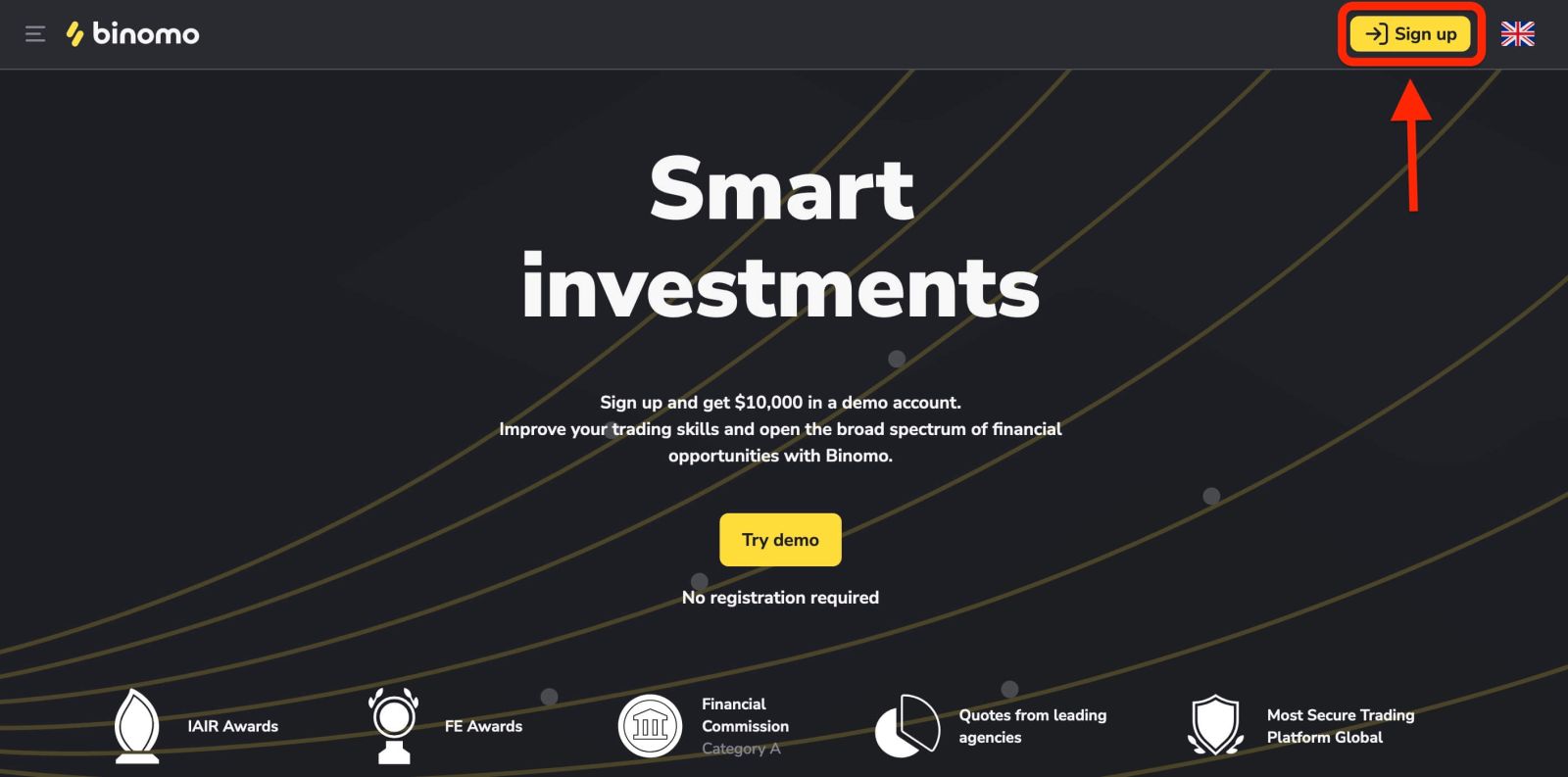
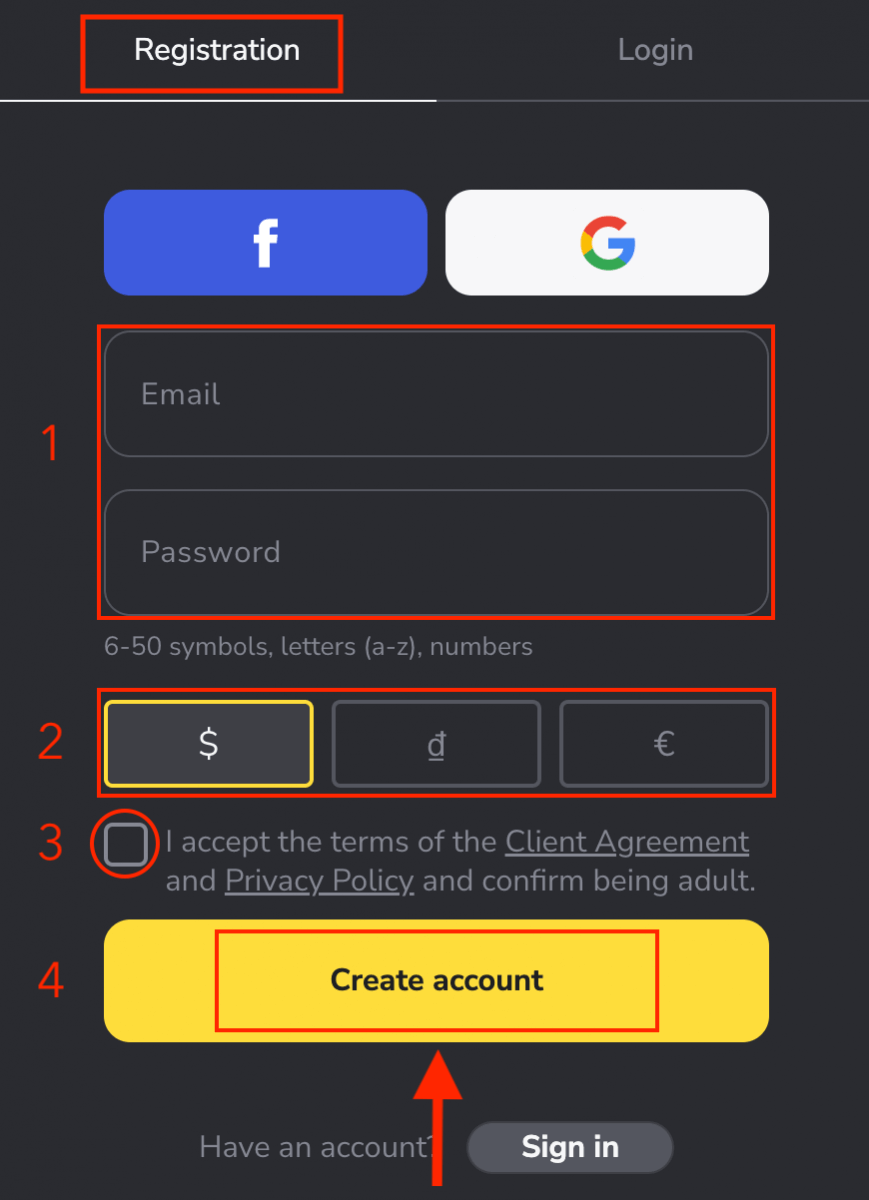
2. To sign up you need to perform the following steps and click "Create account"
- Enter a valid email address and create a secure password.
- Choose the currency of your account for all your trading and deposit operations. You can choose US dollars, euros, or, for most regions, the national currency.
- Read the Client Agreement and Privacy Policy and confirm it by clicking the checkbox.
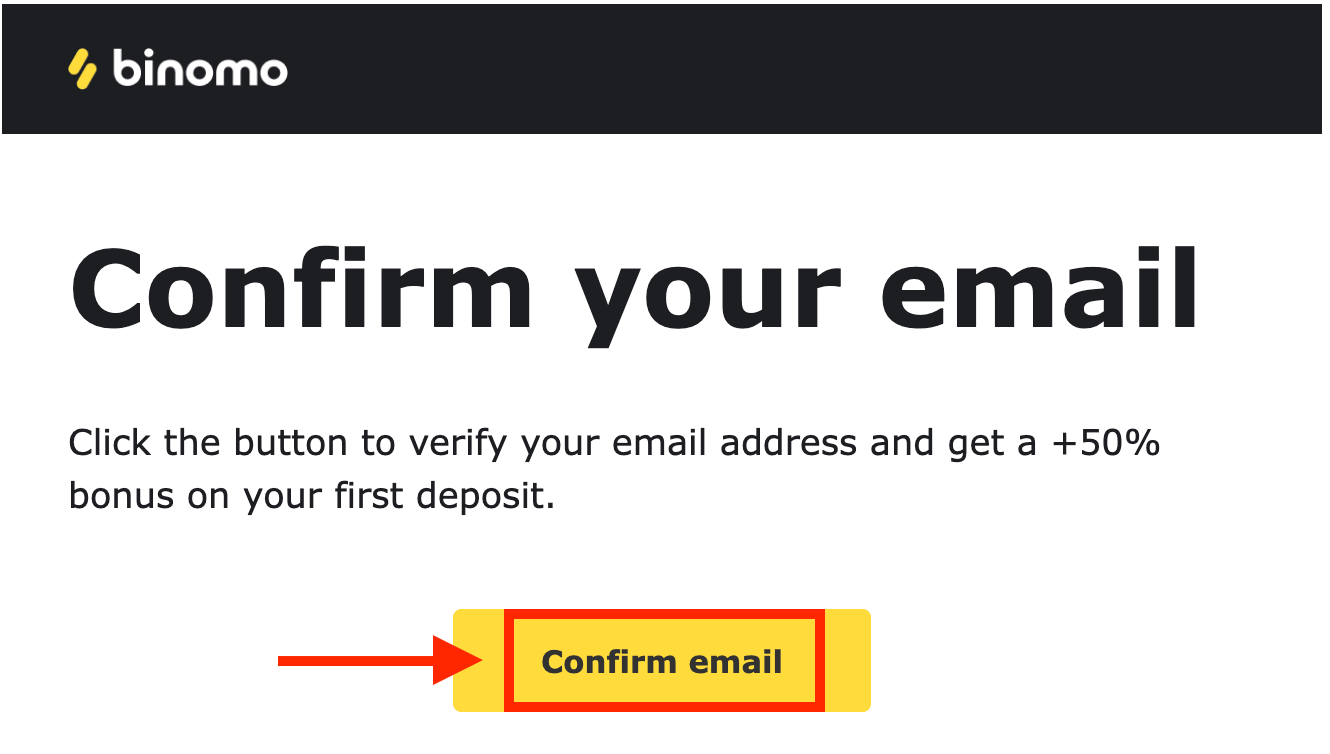
3. After that a confirmation email will be sent to the email address you entered. Confirm your email address to protect your account and unlock more platform capabilities, click the "Confirm email" button.
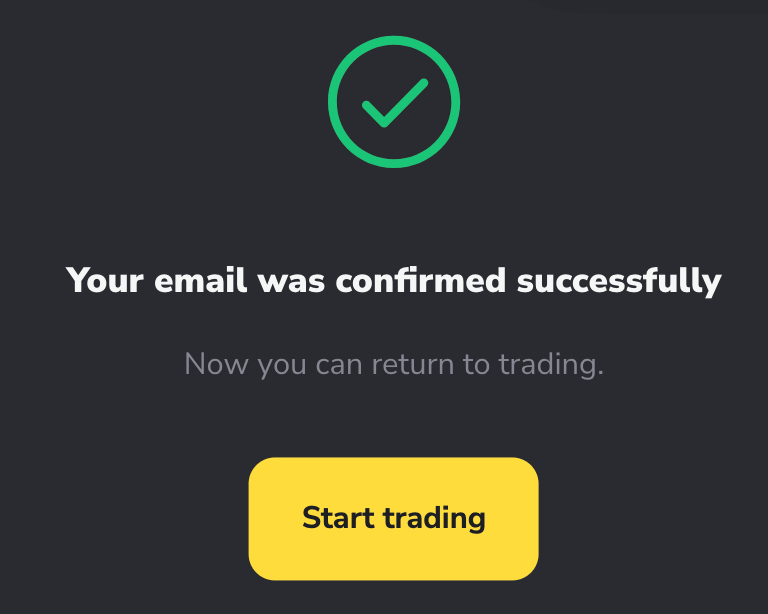
4. Your email was confirmed successfully. You will be automatically redirected to the Binomo Trading platform.
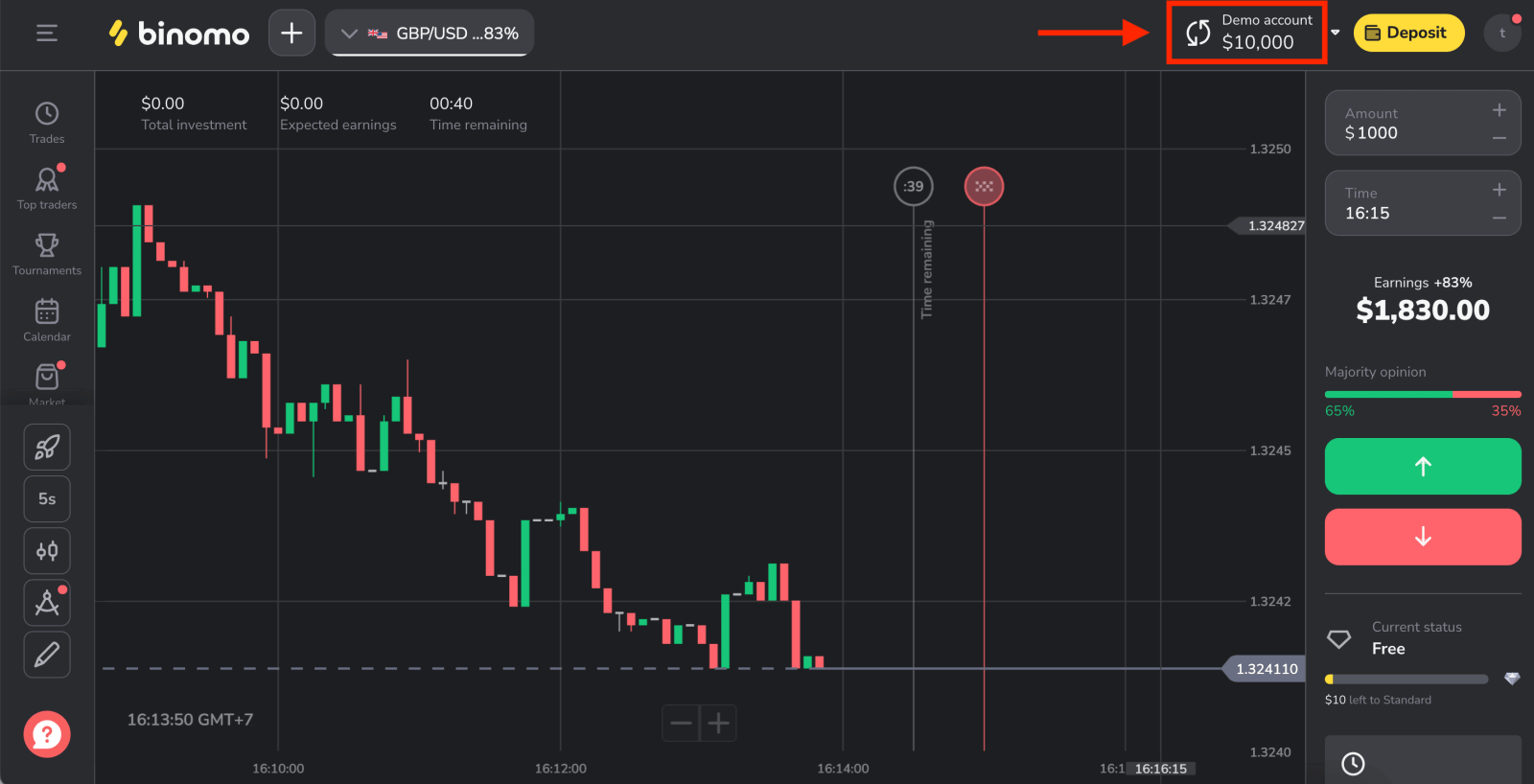
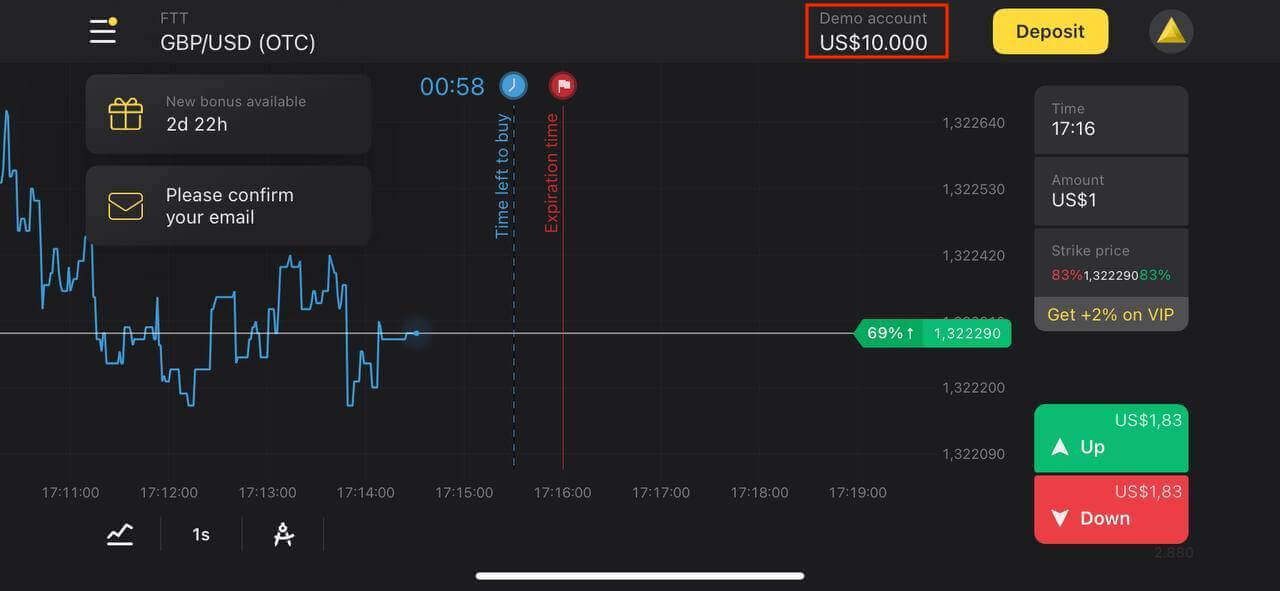
Now you’re a Binomo trader, you have $10,000 in a Demo Account, and you can also trade on a real or tournament account after depositing.
How to Deposit on Binomo
How to Register a Binomo Account using Facebook
Also, you have the option to open a Binomo account using Facebook and you can do that in just a few simple steps:1. Click the “Sign up” button in the top right corner of the platform and then the “Facebook” button.
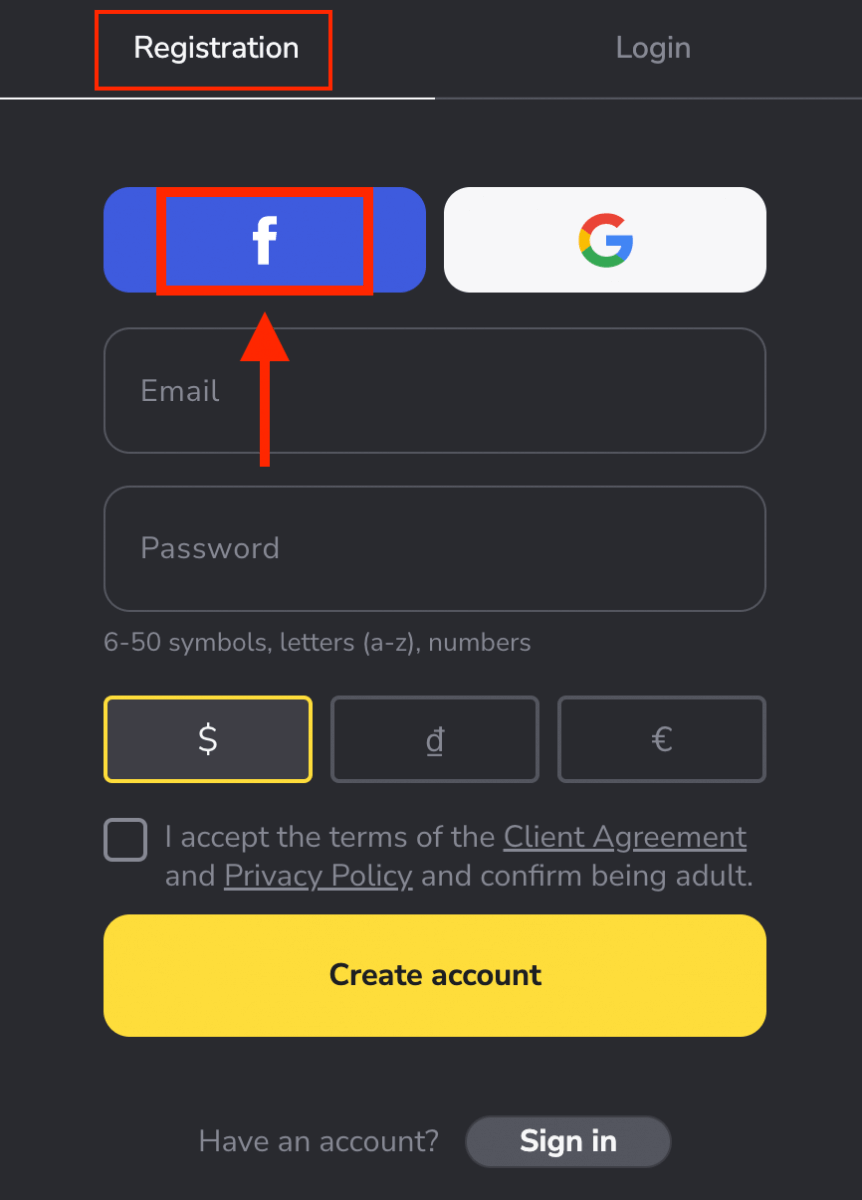
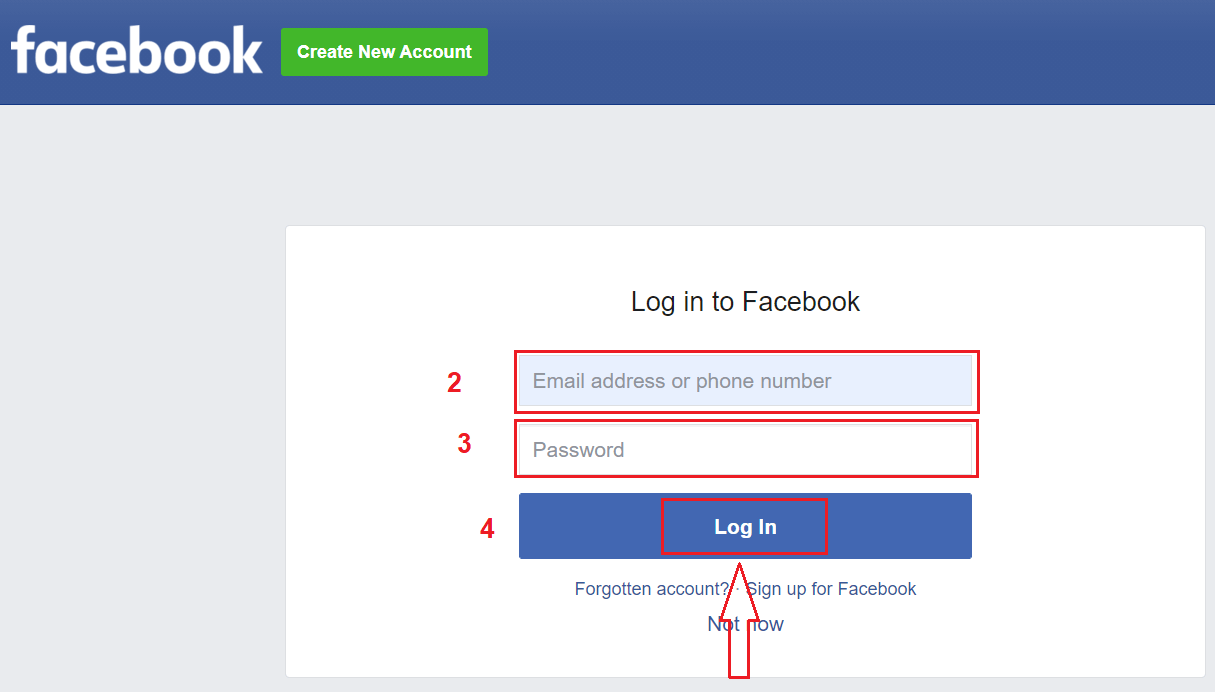
2. The Facebook login window will be opened, where you will need to enter the email address that you used to register on Facebook.
3. Enter the password from your Facebook account.
4. Click on “Log In”.
Once you’ve clicked on the “Log in” button, Binomo requests access to Your name and profile picture and email address. Click Continue...
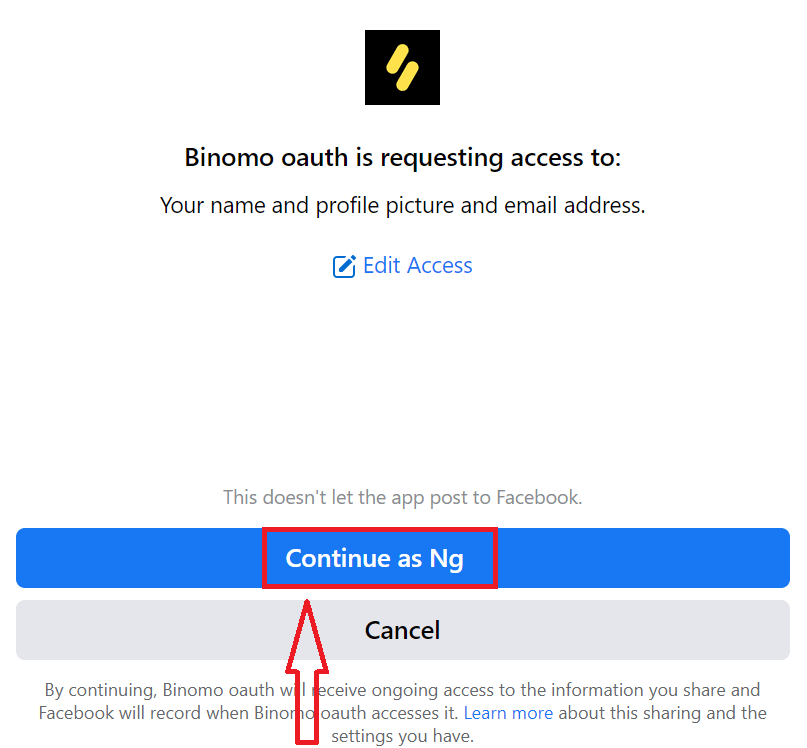
After that, You will be automatically redirected to the Binomo platform. Now you’re an official Binomo trader!
How to Register a Binomo Account using Google
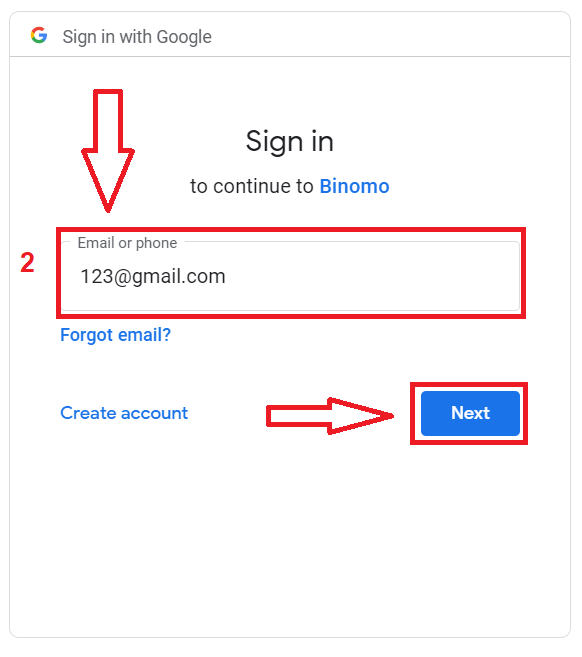
Binomo is available for registration using a Google account. Here you also need authorization for your Google account.1. To sign up with a Google account, click on the corresponding button in the registration form.
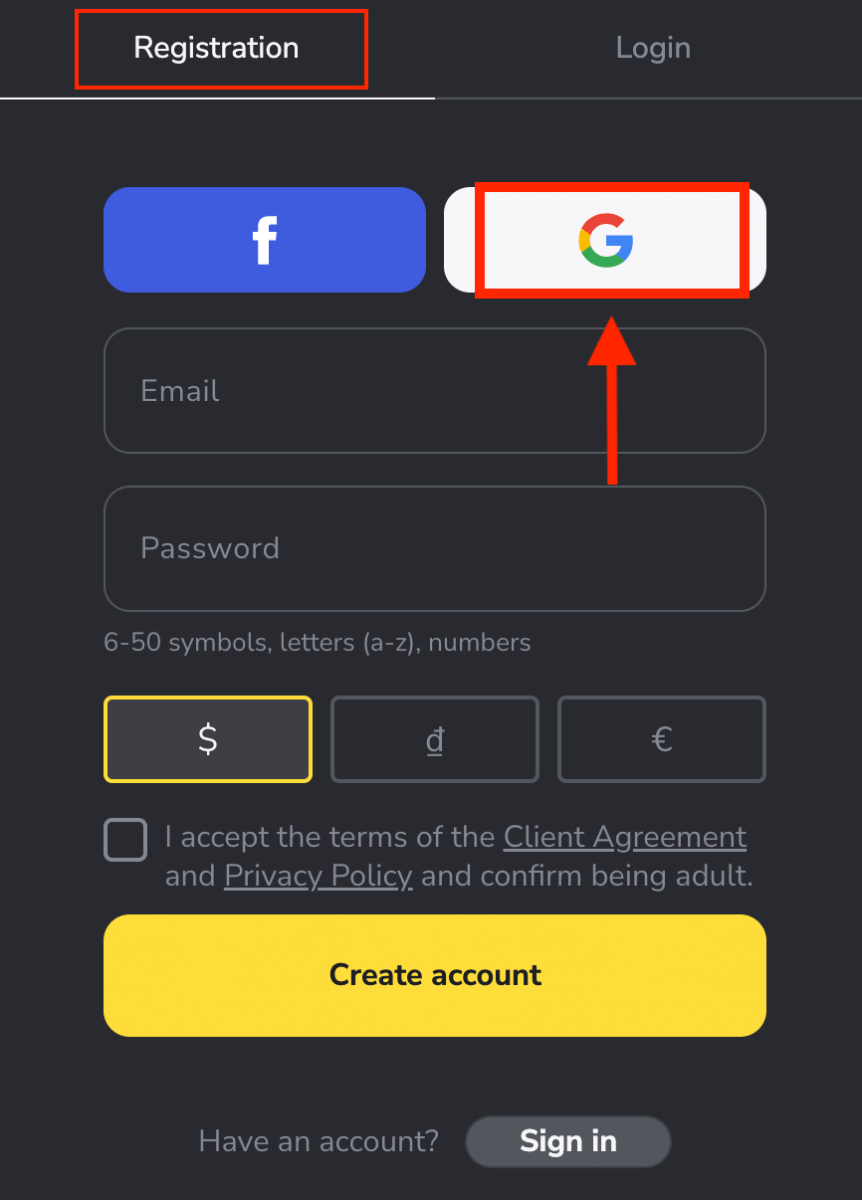
2. In the new window that opens, enter your phone number or email and click “Next”.
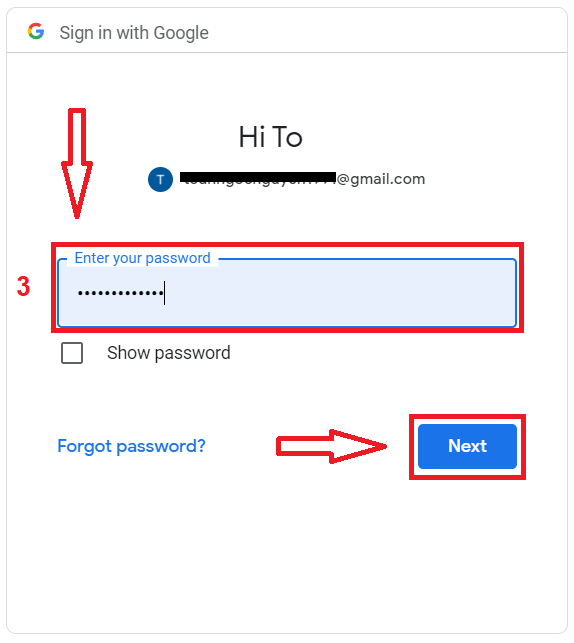
3. Then enter the password for your Google account and click “Next”.
After that, You will be automatically redirected to the Binomo platform. Now you’re an official Binomo trader!
Register an Account on the Binomo app for iOS
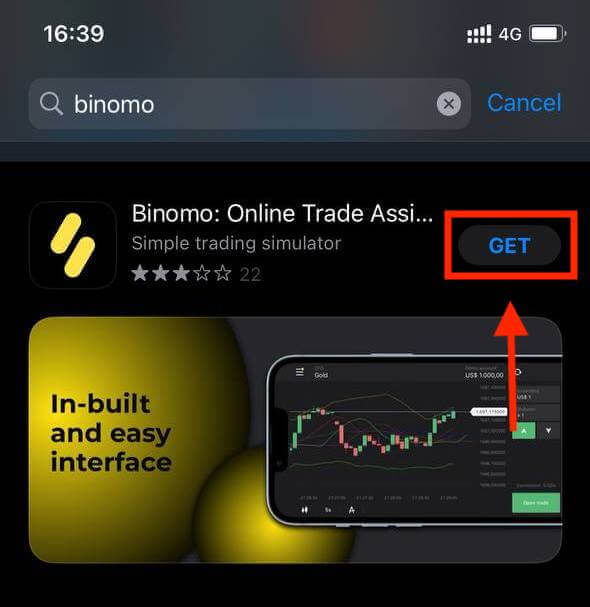
If you have an iOS mobile device you will need to download the Binomo app from App Store or here. Simply search for “Binomo” and download it on your iPhone or iPad.The mobile version of the trading platform is exactly the same as its web version. Consequently, there won’t be any problems with trading and transferring funds.
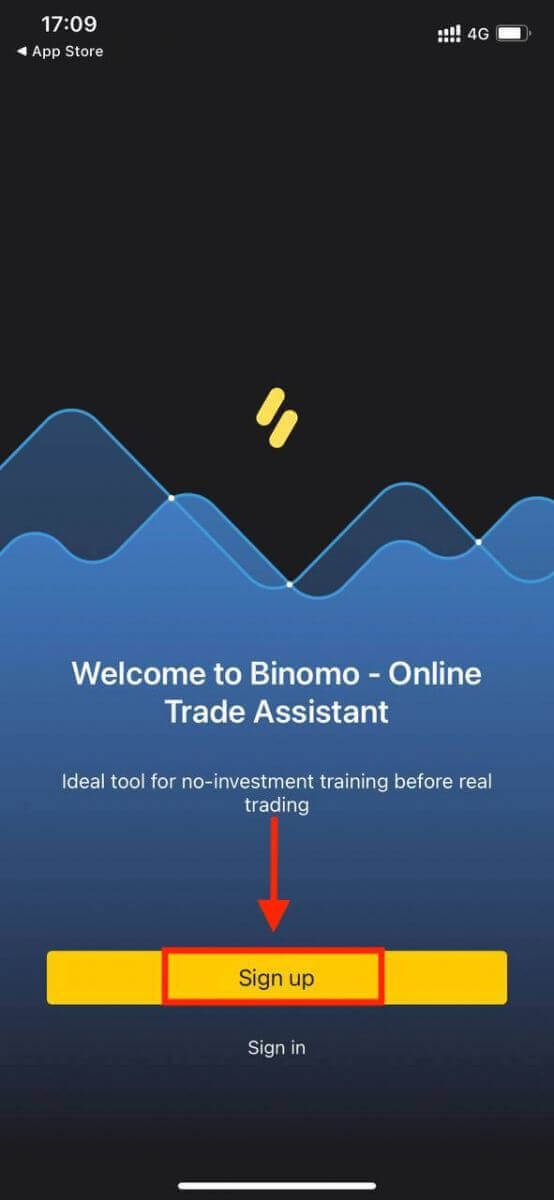
Registering a Binomo account on the iOS mobile platform is also possible. Do the same steps as the web app.
- Enter your email address and new password.
- Select the currency of the account.
- Click "Sign up".
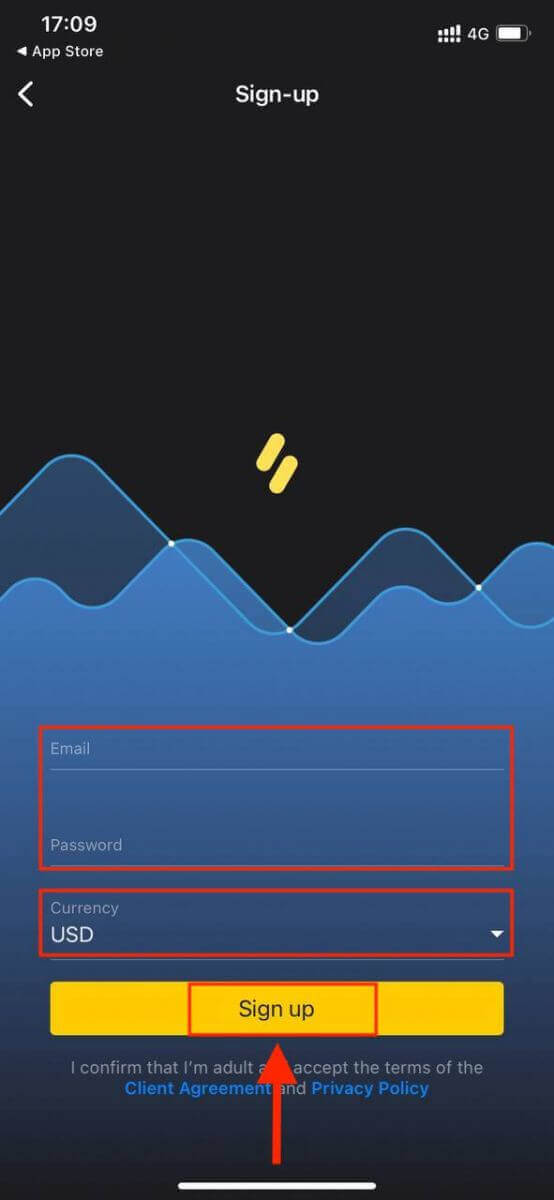
Now you can trade Binomo on your iPhone or iPad.
Register an Account on the Binomo app for Android
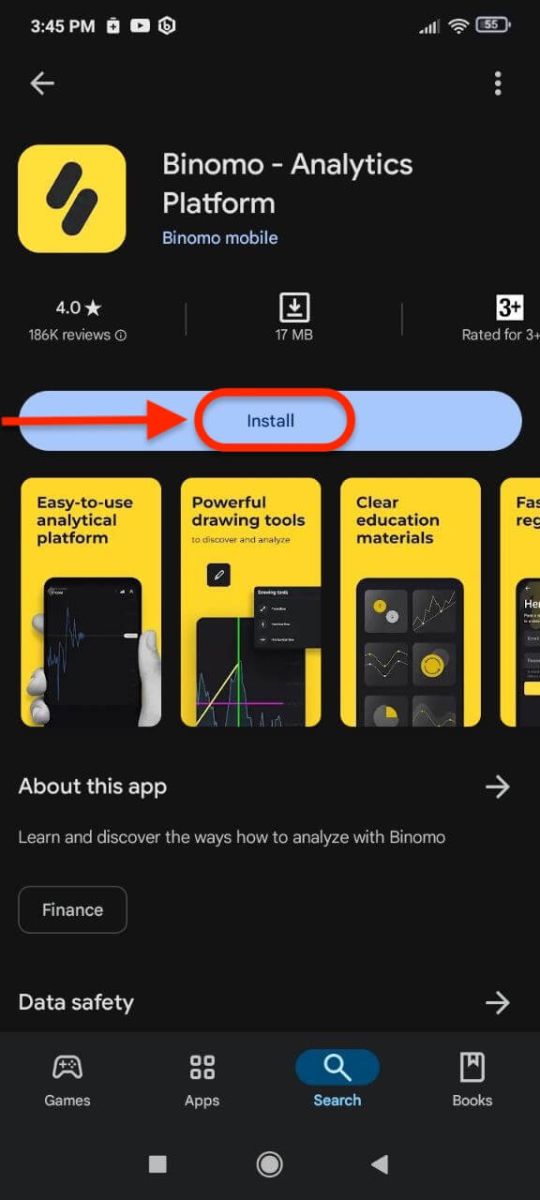
If you have an Android mobile device you will need to download the Binomo app from Google Play or here. Simply search for “Binomo” and download it on your device.The mobile version of the trading platform is exactly the same as the web version of it. Consequently, there won’t be any problems with trading and transferring funds. Moreover, the Binomo trading app for Android is considered to be the best app for online trading.
Registering a Binomo account on the Android mobile platform is also available for you.
- Enter your email address.
- Enter new password.
- Click "Sign up".
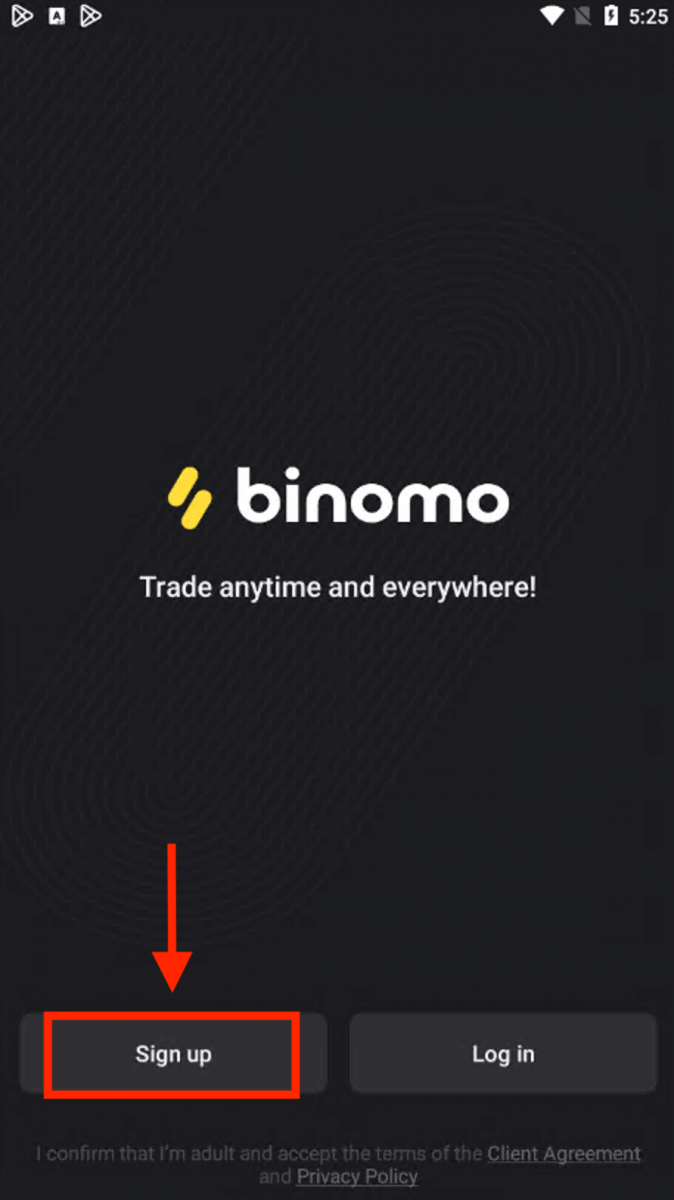
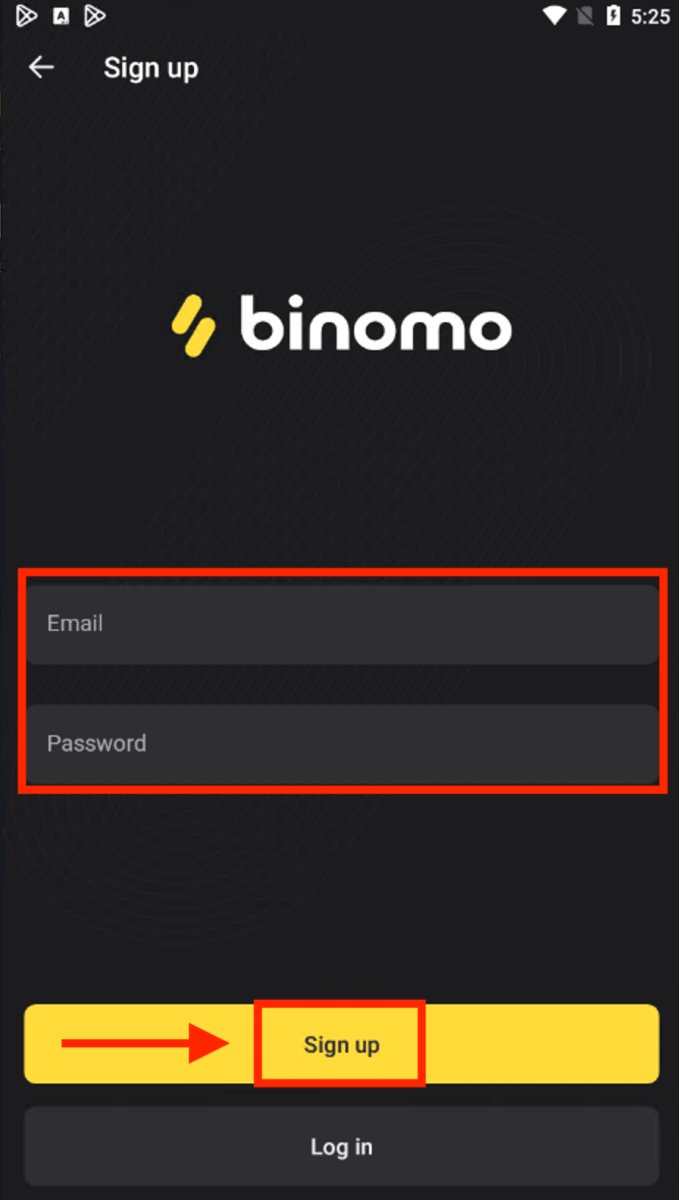
Now you can trade Binomo on an Android mobile device.
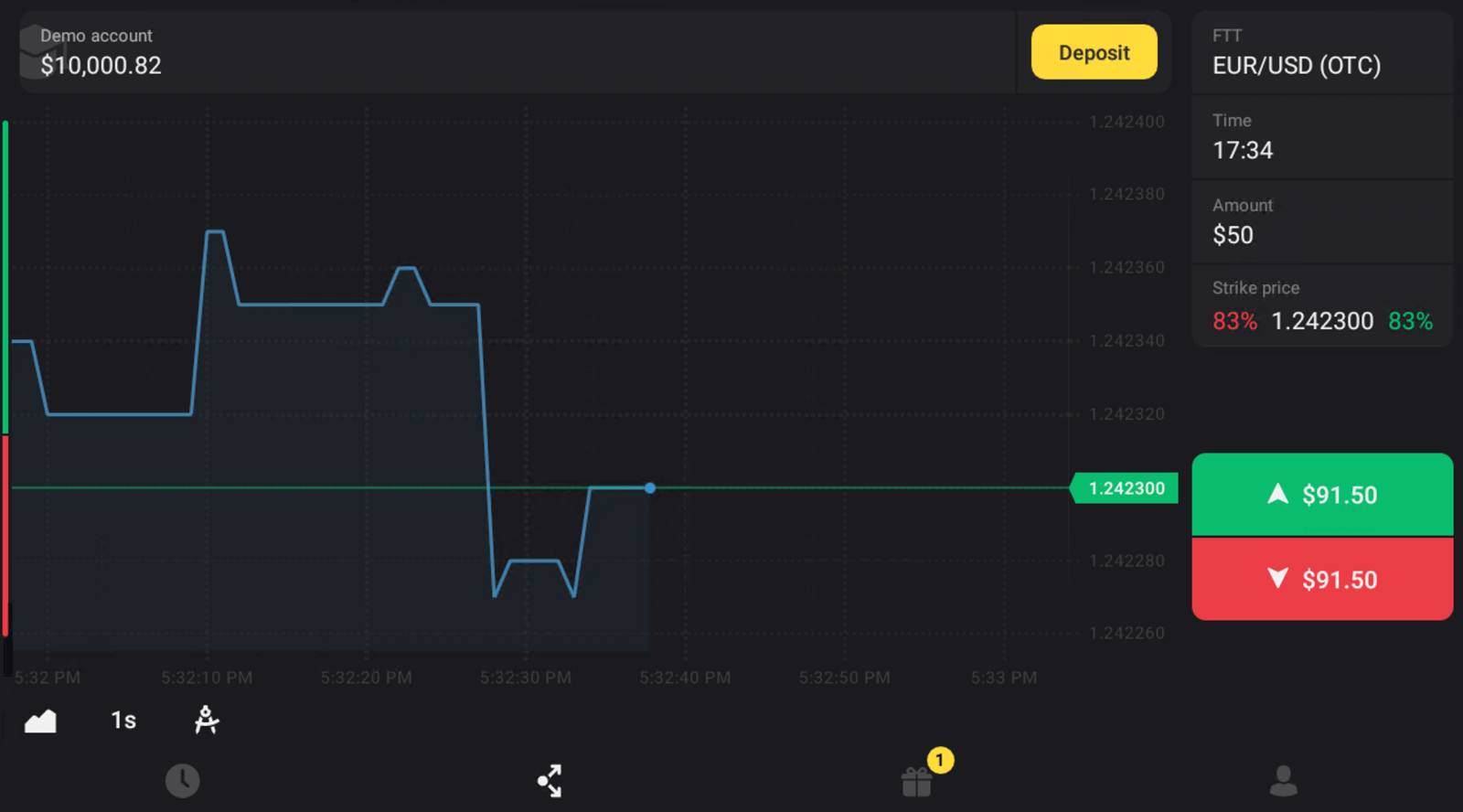
Register an Account on Binomo for Mobile Web
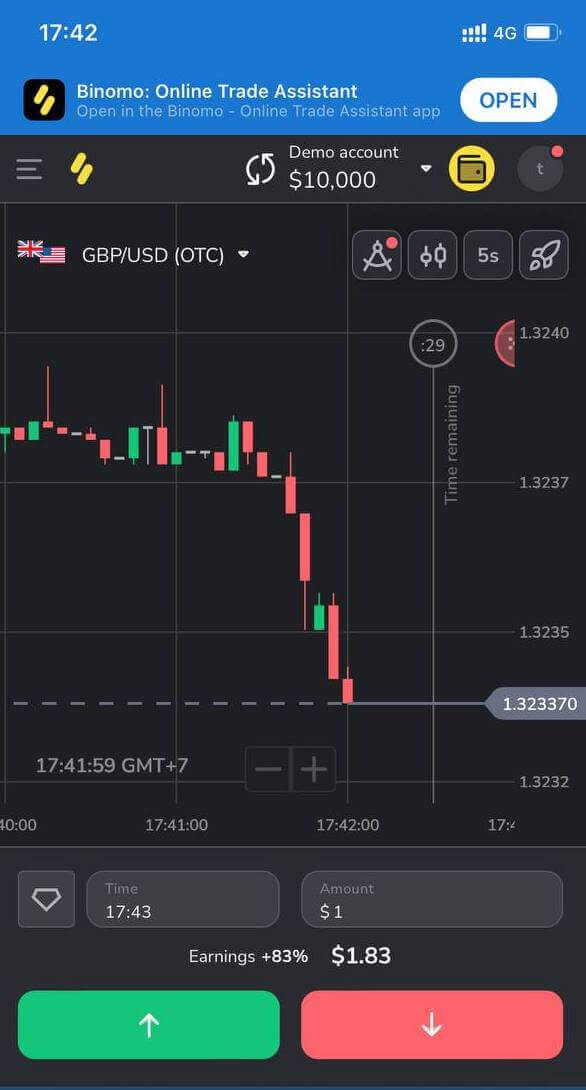
If you want to trade on the mobile web of the Binomo trading platform, you can easily do it. Initially, open up your browser on your mobile device. Go to the Binomo main page.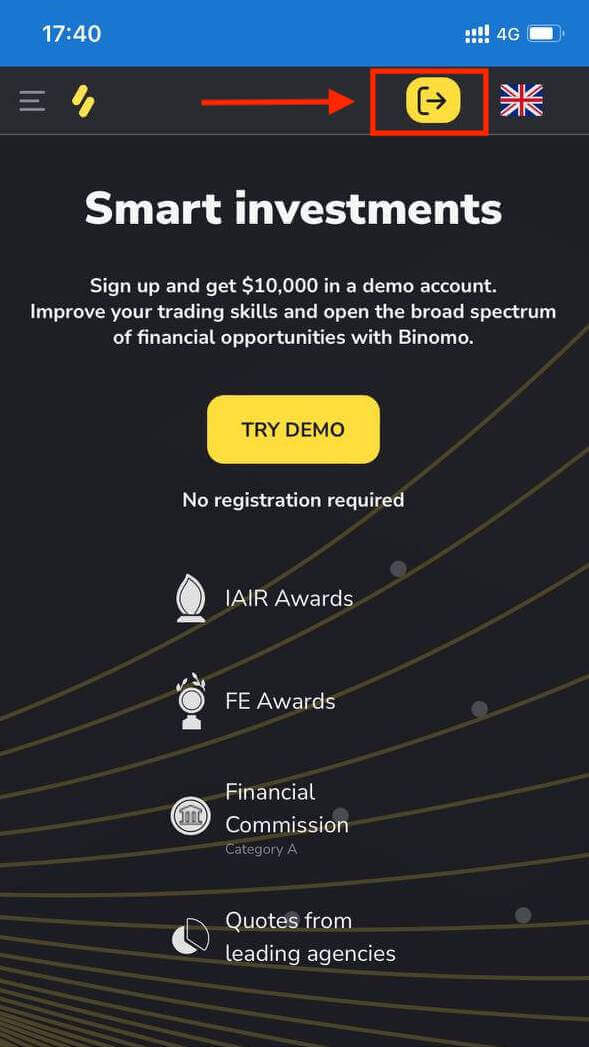
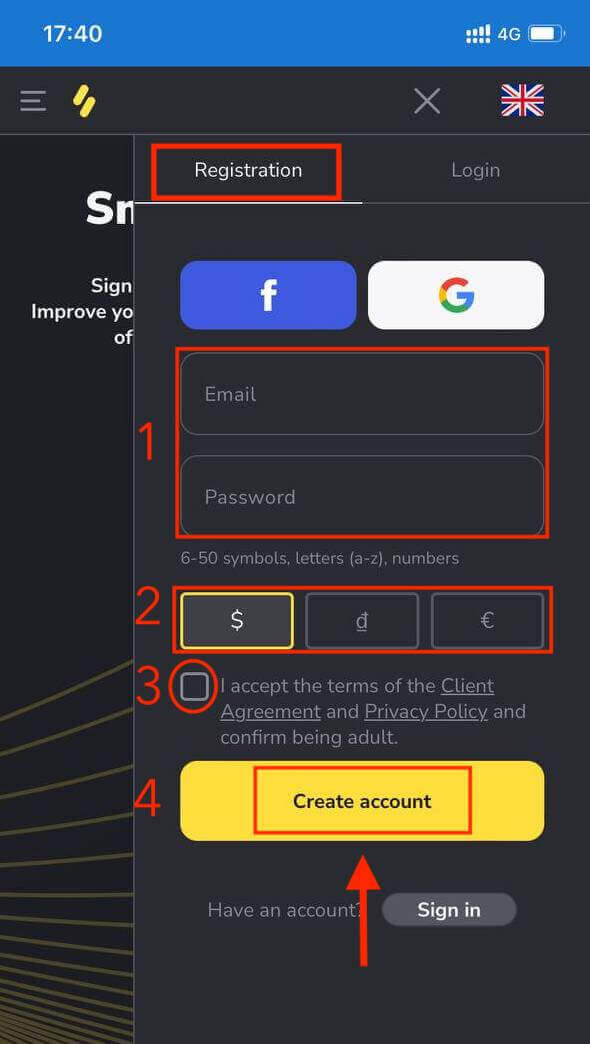
At this step we still enter the data: email, password, select a currency, check "Client Agreement" and click "Create Account"
Here you are! Now you are able to trade from the mobile web version of the platform. The mobile web version of the trading platform is exactly the same as the regular web version of it. Consequently, there won’t be any problems with trading and transferring funds.
Frequently Asked Questions (FAQ)
What types of account statuses are available on the platform?
There are 4 types of statuses on the platform: Free, Standard, Gold, and VIP.- A Free status is available to all registered users. With this status, you can trade on the demo account with virtual funds.
- To get a Standard status, deposit a total of $10 (or an equivalent amount in your account currency).
- To get a Gold status, deposit a total of $500 (or an equivalent amount in your account currency).
- To get a VIP status, deposit a total of $1000 (or an equivalent amount in your account currency) and confirm your phone number.
Can relatives register on the website and trade from the same device?
Members of the same family can trade on Binomo but only on different accounts and from different devices and IP addresses.Why should I confirm my email?
Confirming your email comes with a few advantages:1. Security of an account. Once your email is confirmed, you can easily restore your password, write to our Support Team, or to block your account if necessary. It will also ensure the security of your account and help prevent fraudsters from accessing it.
2. Gifts and promotions. We’ll notify you about new competitions, bonuses, and promo codes so you won’t miss out on anything.
3. News and educational materials. We always try to improve our platform, and when we add something new – we inform you. We also send unique training materials: strategies, tips, expert comments.
What’s a demo account?
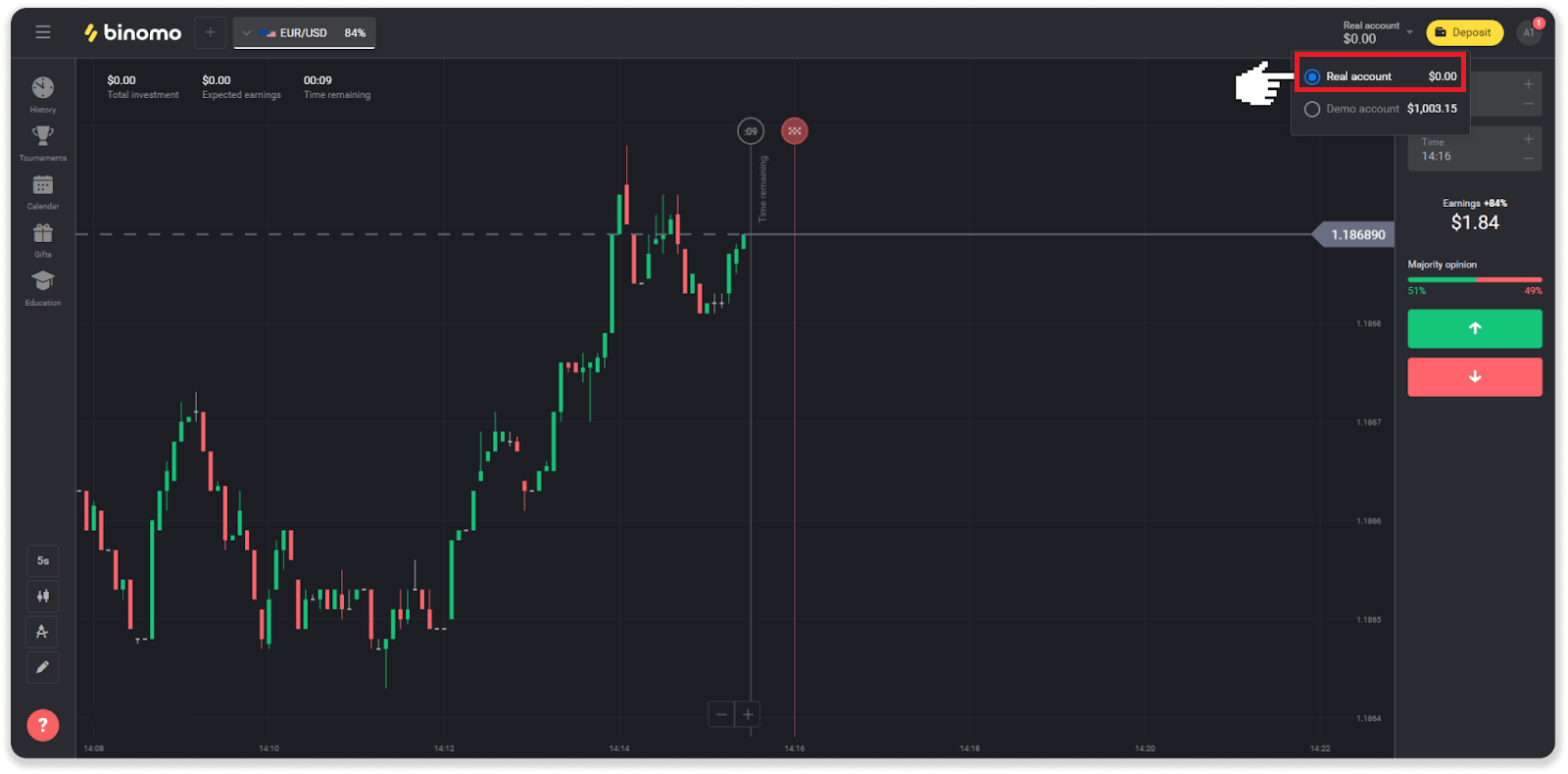
Once you sign up on the platform, you get access to the $10,000.00 demo account (or an equivalent amount in your account currency).A demo account is a practice account that allows you to conclude trades on a real-time chart without investments. It helps you get familiar with the platform, practice new strategies, and try out different mechanics before switching to a real account. You can switch between your demo and real accounts at any time.
Note. The funds on the demo account are not real. You can increase them by concluding successful trades or replenish if they run out, but you cannot withdraw them.
How to Verify your Account on Binomo
How do you Verify your Identity on Binomo
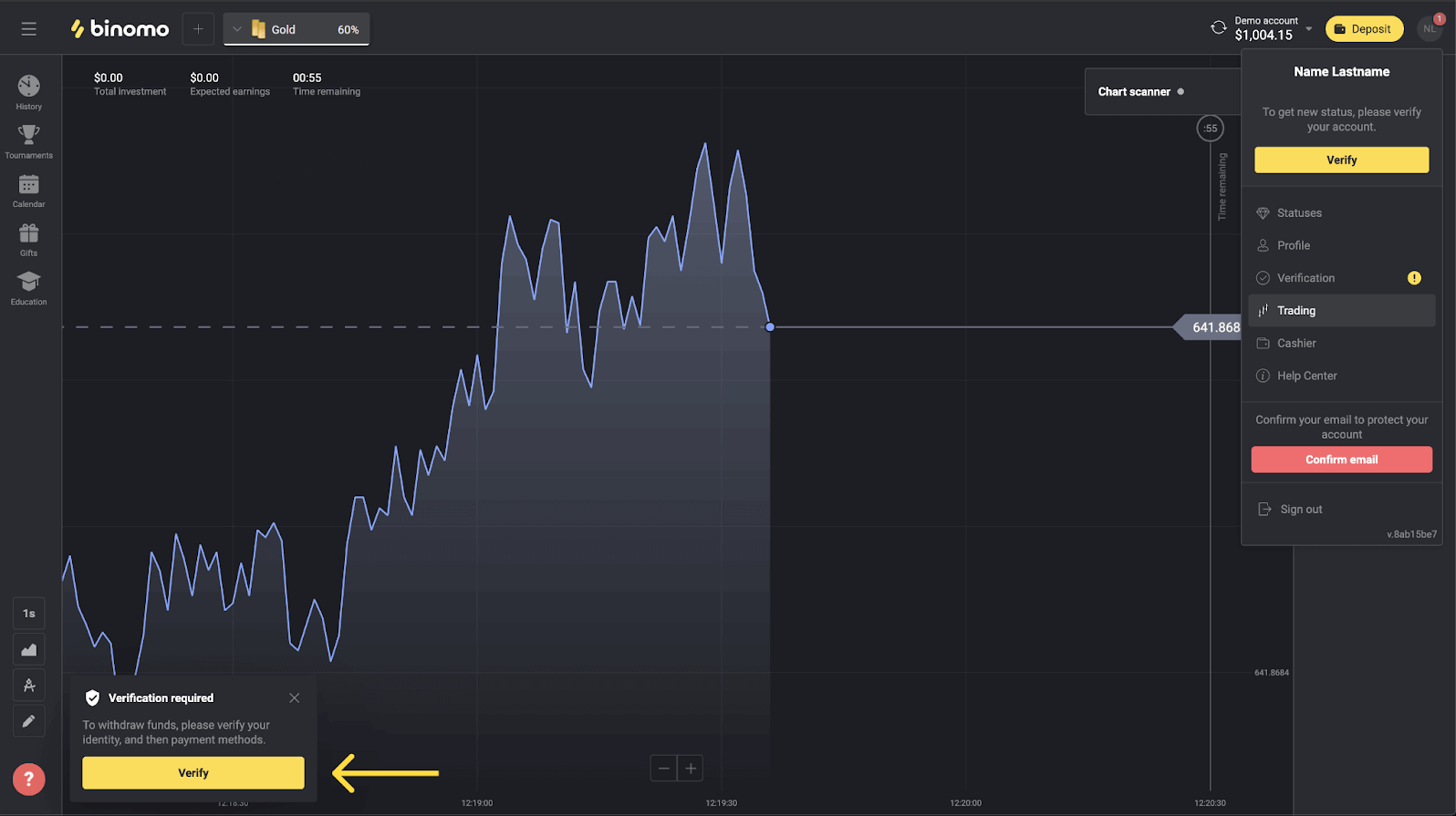
Please note that you can pass the verification only since we’ve sent you a request. Once it has been submitted, you’ll get a pop-up notification, and the “Verification” item will appear on the menu. To verify your identity, you’ll need to follow these steps:
1) Click on “Verify” in the pop-up notification.
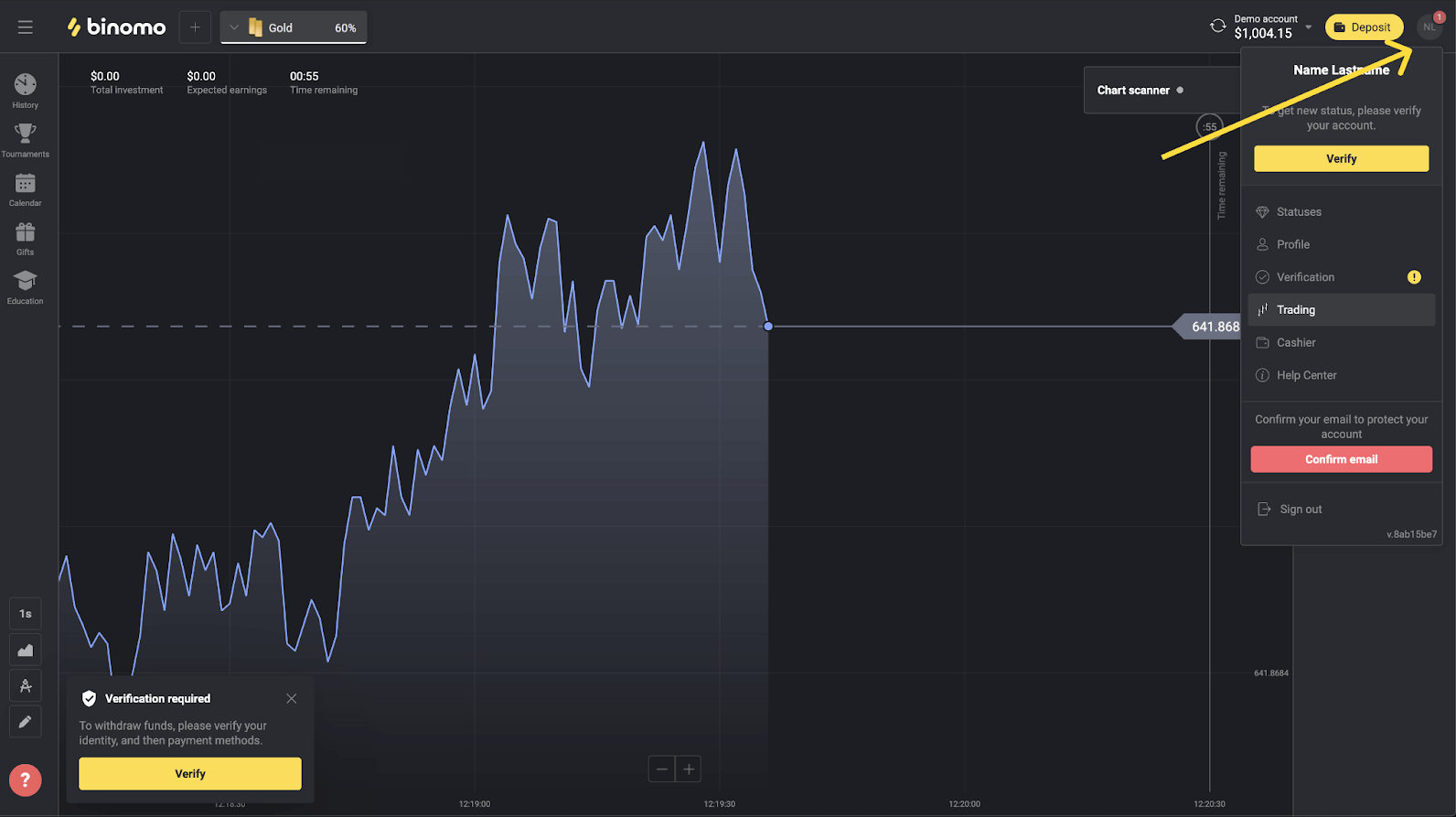
2) Or click on your profile picture to open the menu.
3) Click on the “Verify” button or select “Verification” from the menu.
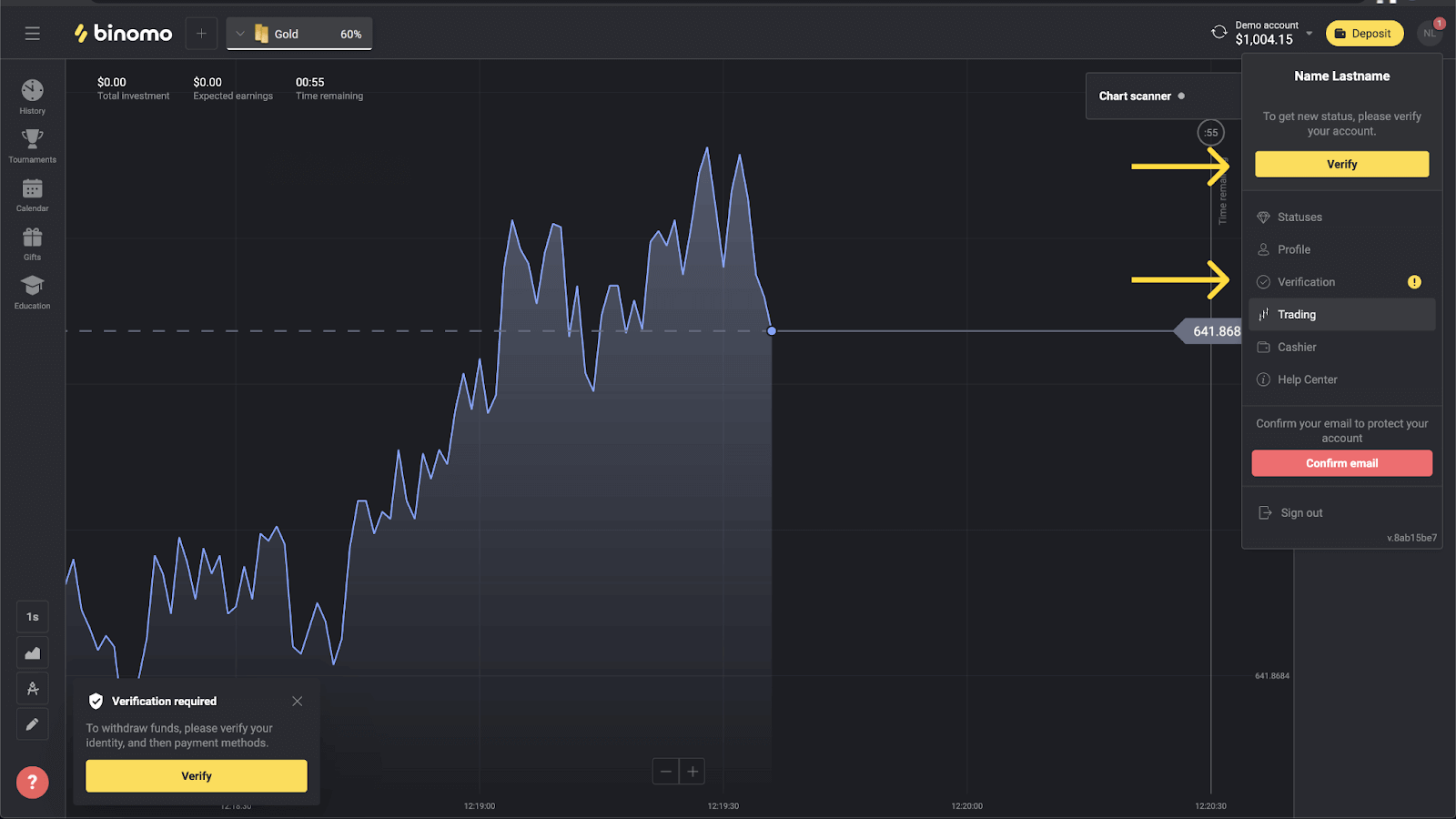
4) You’ll be redirected to the “Verification” page with the list of all the documents to verify. First, you’ll have to verify your identity. To do so, press the “Verify” button next to “ID Card”.
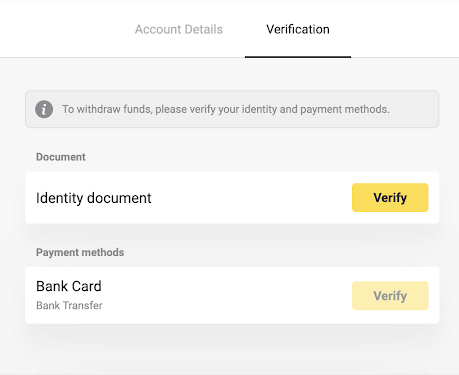
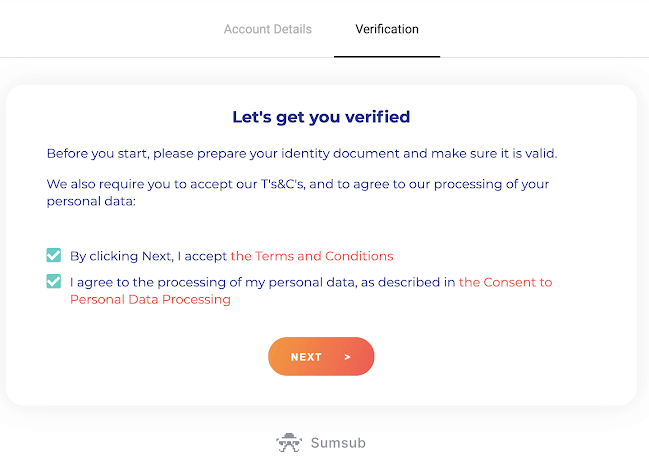
5) Before you start verification, mark the checkboxes and click “Next”.
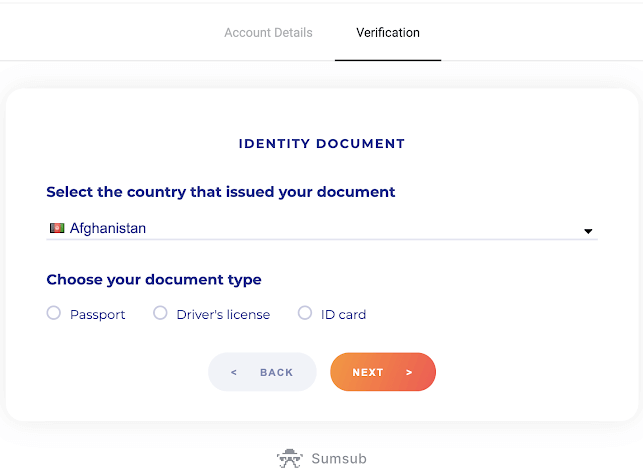
6) Choose the country of issue of your documents in the drop-down menu, then select the document type. Press “Next”.
Note. We accept passports, ID cards, and driver’s licenses. Types of documents may vary by country, check the full documents list.
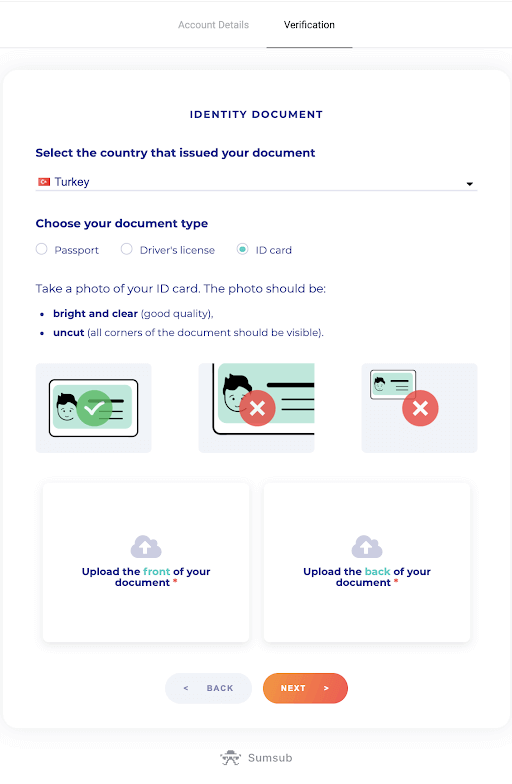
7) Upload the document you’ve chosen. First front side, then – back (If the document is double-sided). We accept documents in the following formats: jpg, png, pdf.
Make sure your document is:
- Valid for at least one month from the upload date (for residents of Indonesia and Brazil validity is irrelevant).
- Easy to read: your full name, numbers, and dates are clear. All four corners of the document should be visible.
8) If necessary, press “Edit” to upload a different document before submitting. As you are ready, press “Next” to submit the documents.
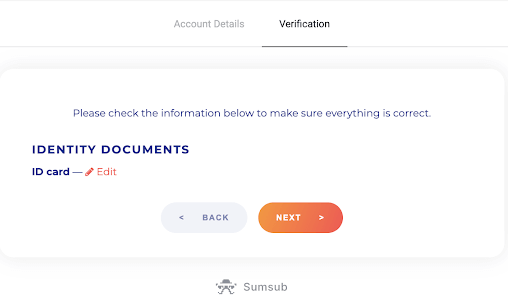
9) Your documents have been submitted successfully. Press “OK” to return to the “Verification” page.
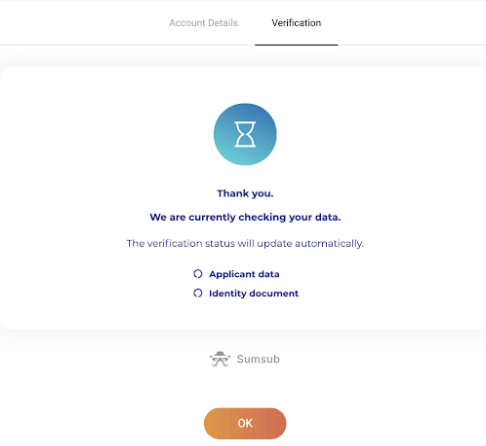
10) The status of your ID verification will change to “Pending”. It may take up to 10 minutes to verify your identity.
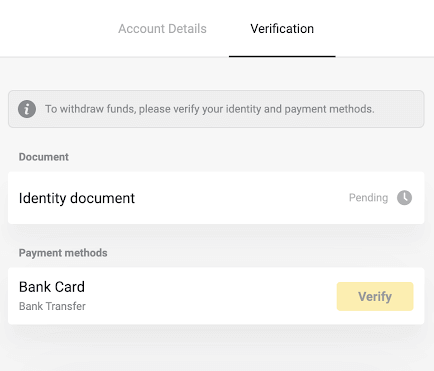
11) Once your identity has been confirmed, the status changes to “Done”, and you can start verifying the payment methods.
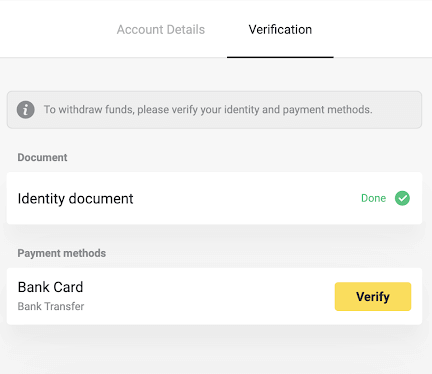
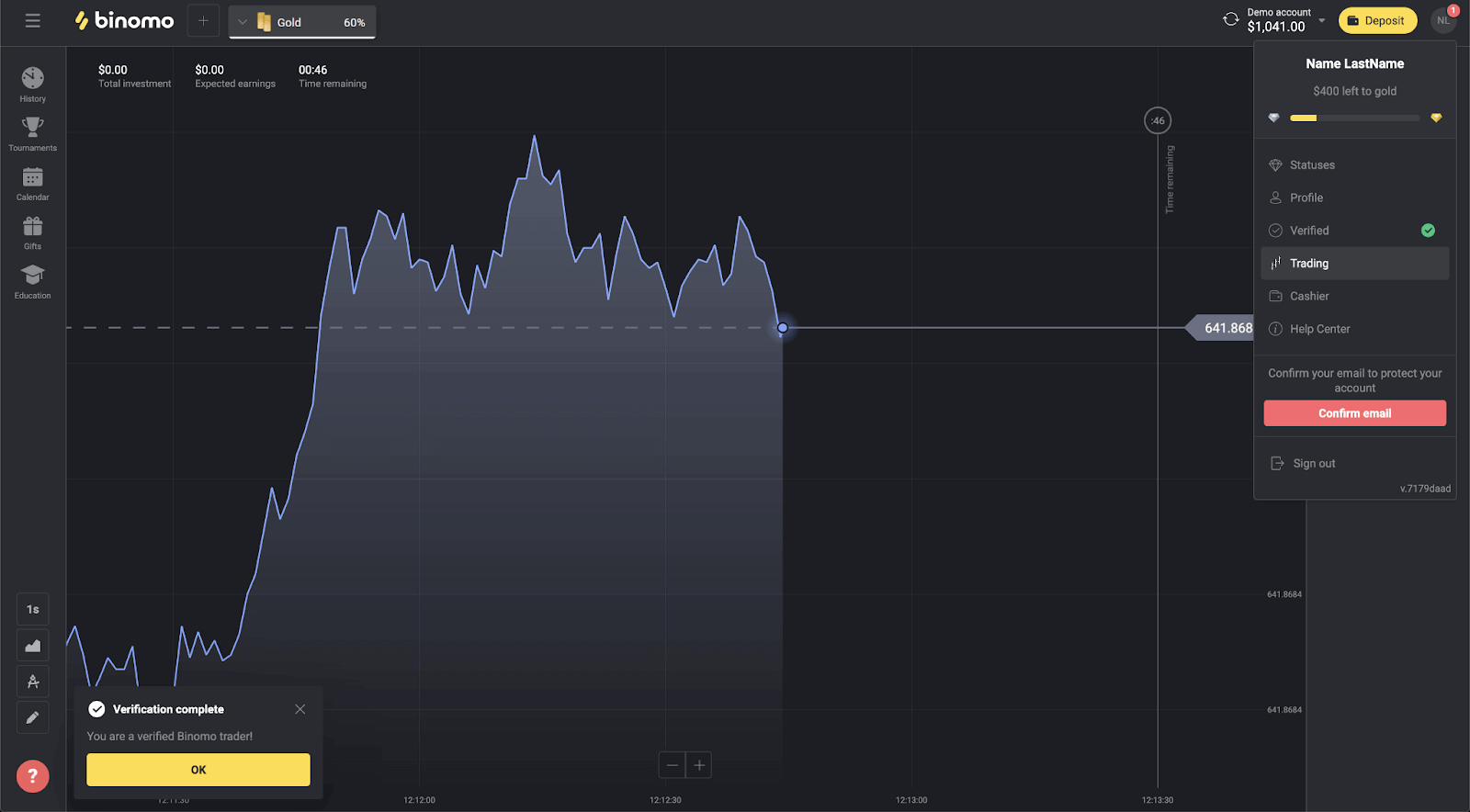
12) If there is no need to verify the payment methods, you’ll get the “Verified” status right away. You will also be able to withdraw funds again.
How do you Verify a Bank Card on Binomo
Once verification has been requested, you’ll get a pop-up notification, and the “Verification” item will appear on the menu.Please note!
- To verify a payment method, you’ll have to verify your identity first.
- You have to be the card’s owner. Third parties’ cards can’t be used for verification;
- If you have an unnamed card, you have to specify a photo of the bank statement with the stamp, date of issue, and your name visible. Please note that the document must not be older than three months.
Once your identity has been confirmed, you can start verifying your bank cards.
To verify a bank card, you’ll need to follow these steps:
1) Click on your profile picture to open the menu.
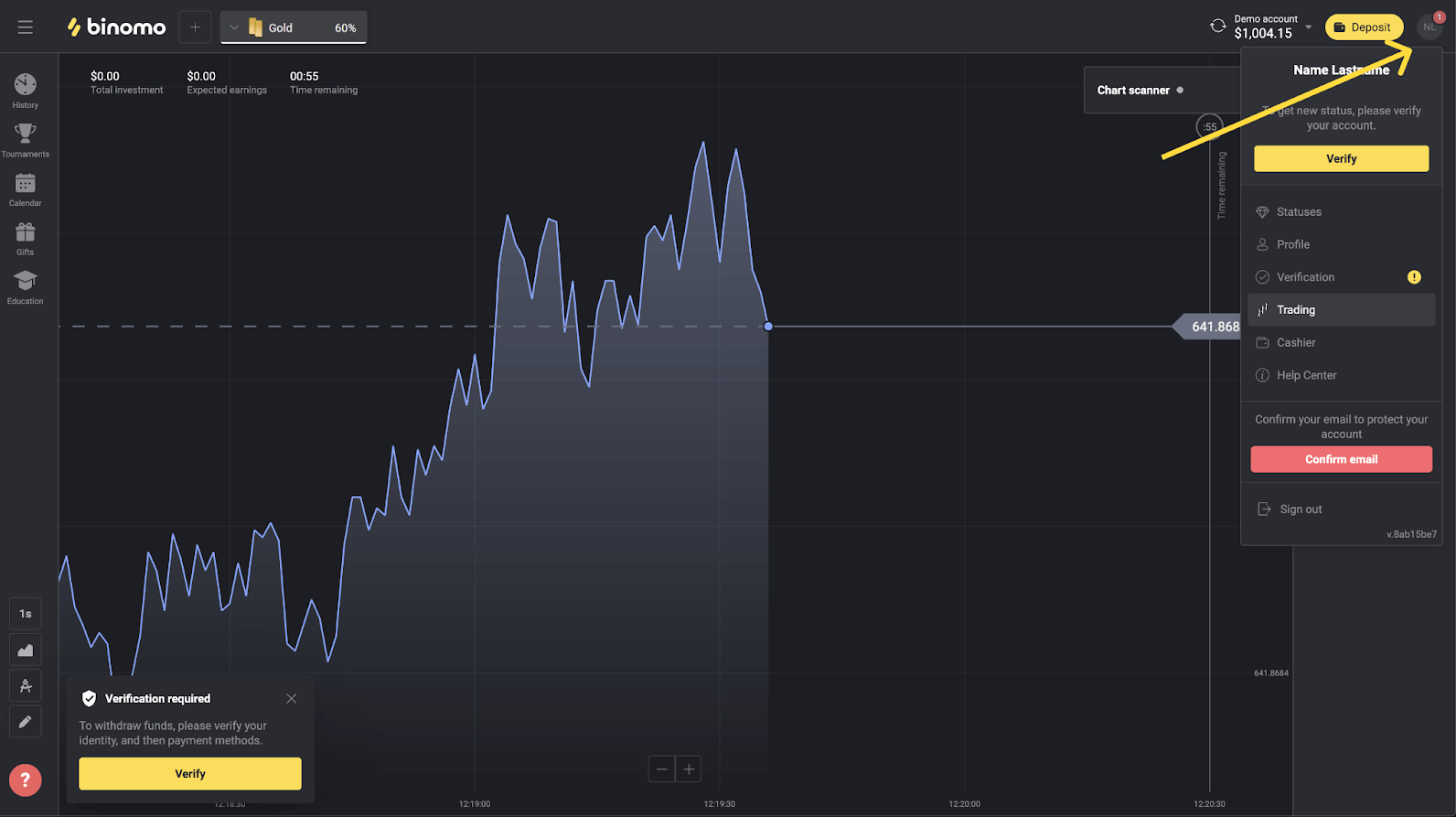
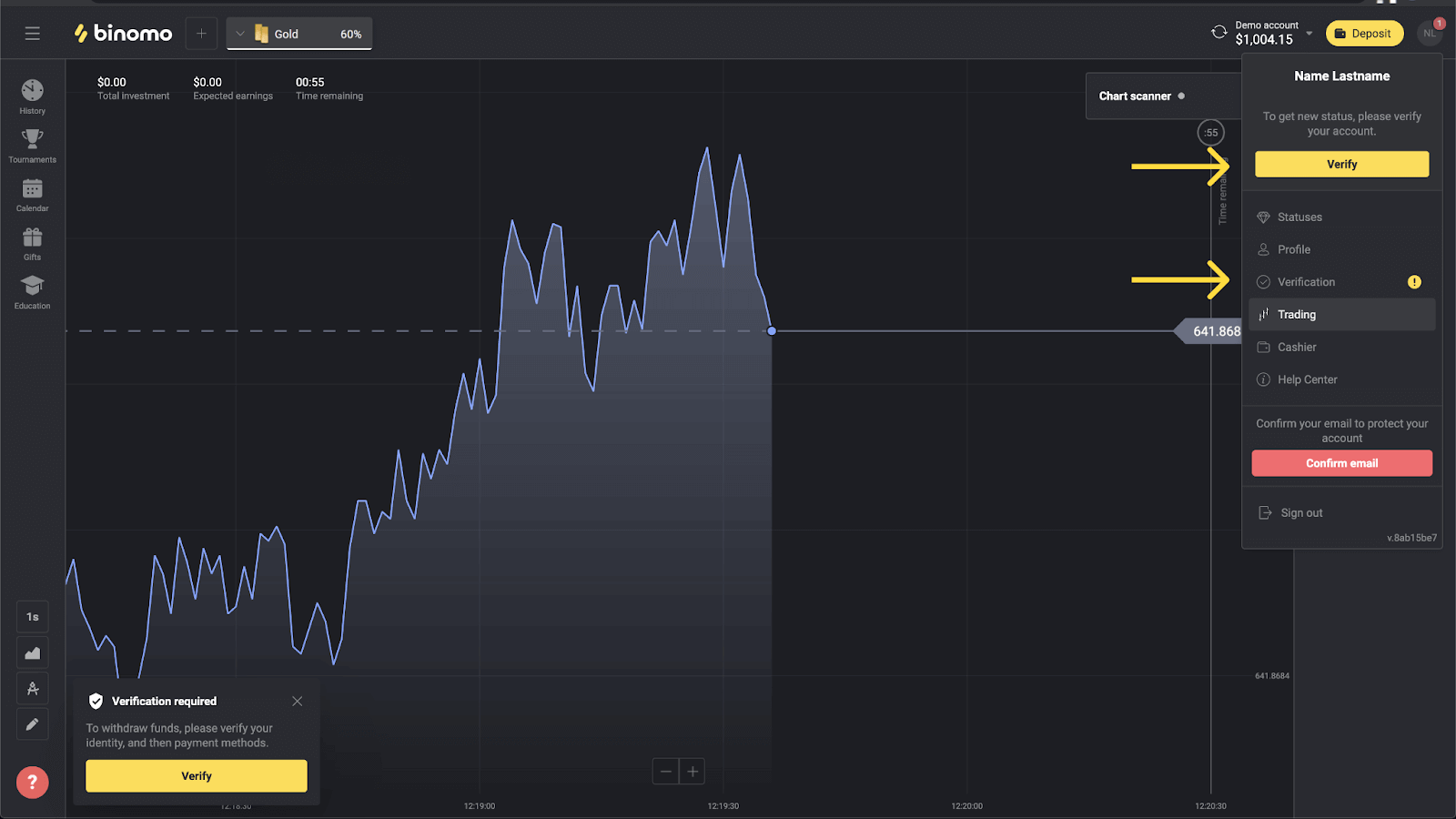
2) Click on the “Verify” button or select “Verification” from the menu.
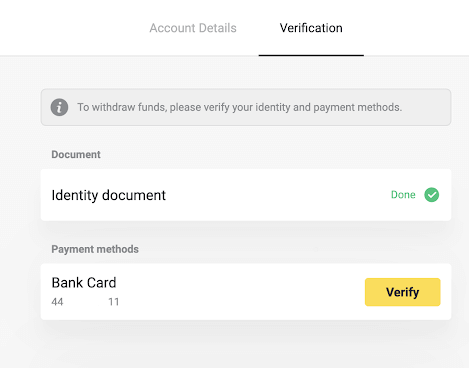
3) You’ll be redirected to the “Verification” page with the list of all the unverified payment methods. Choose a payment method you would like to start with and press “Verify”.
4) Upload a photo of your bank card, front side only, so that the cardholder’s name, card number, and expiration date are visible. We accept photos in the following formats: jpg, png, pdf. Press “Next”.
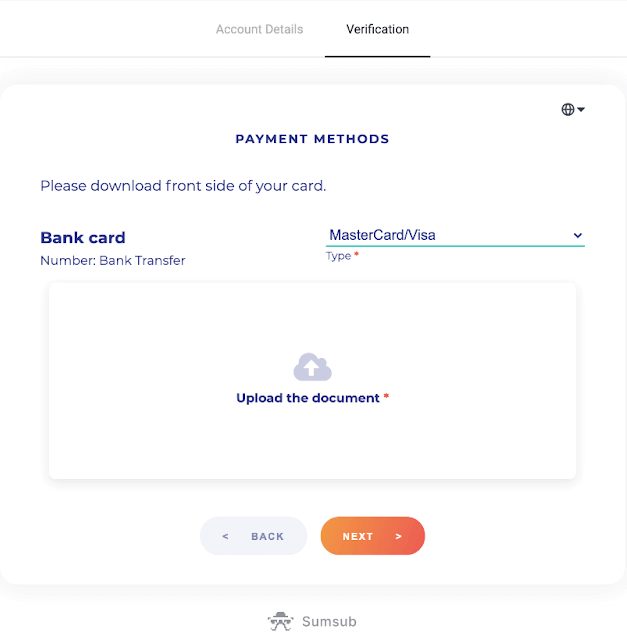
5) Your photo has been submitted successfully. Press “OK” to return to the “Verification” page.
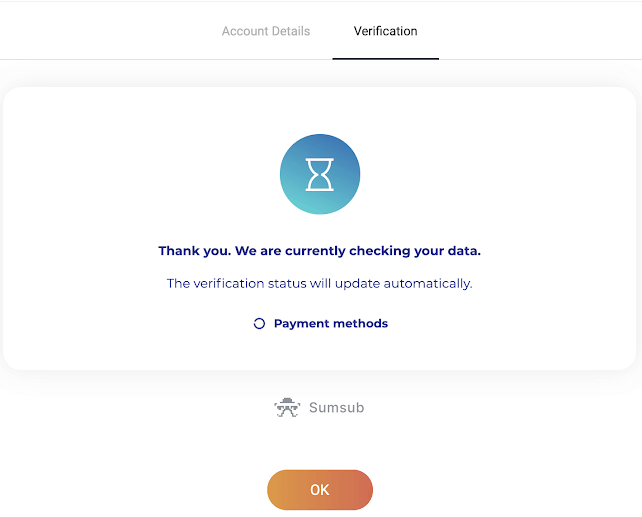
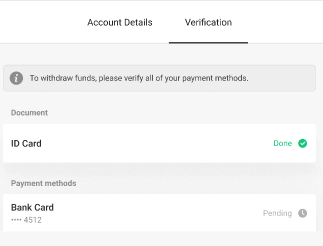
6) Bank card verification status will change to “Pending”. It may take up to 10 minutes to verify a bank card.
You have to verify all of the payment methods on the list to complete verification.
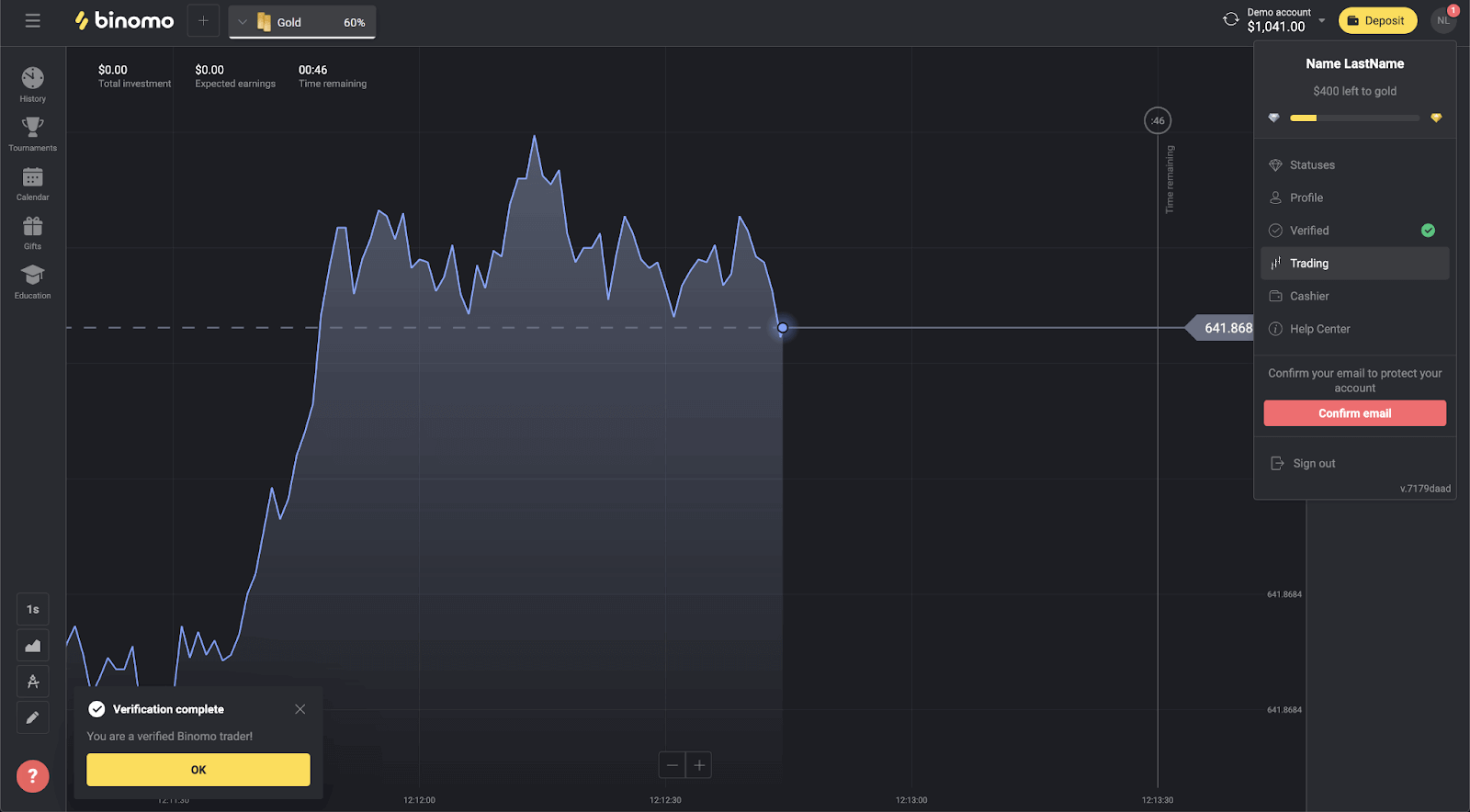
7) Once verification is complete, you’ll get a notification, and your status will change to “Verified”. You will also be able to withdraw funds again.
How do you Verify a virtual/unnamed Bank Card on Binomo
Once verification has been requested, you’ll get a pop-up notification, and the “Verification” item will appear on the menu.
Note. To verify a payment method, you’ll have to verify your identity first.
To verify a virtual/unnamed bank card, you will need to follow these steps:
1) Click on your profile photo to open the menu;
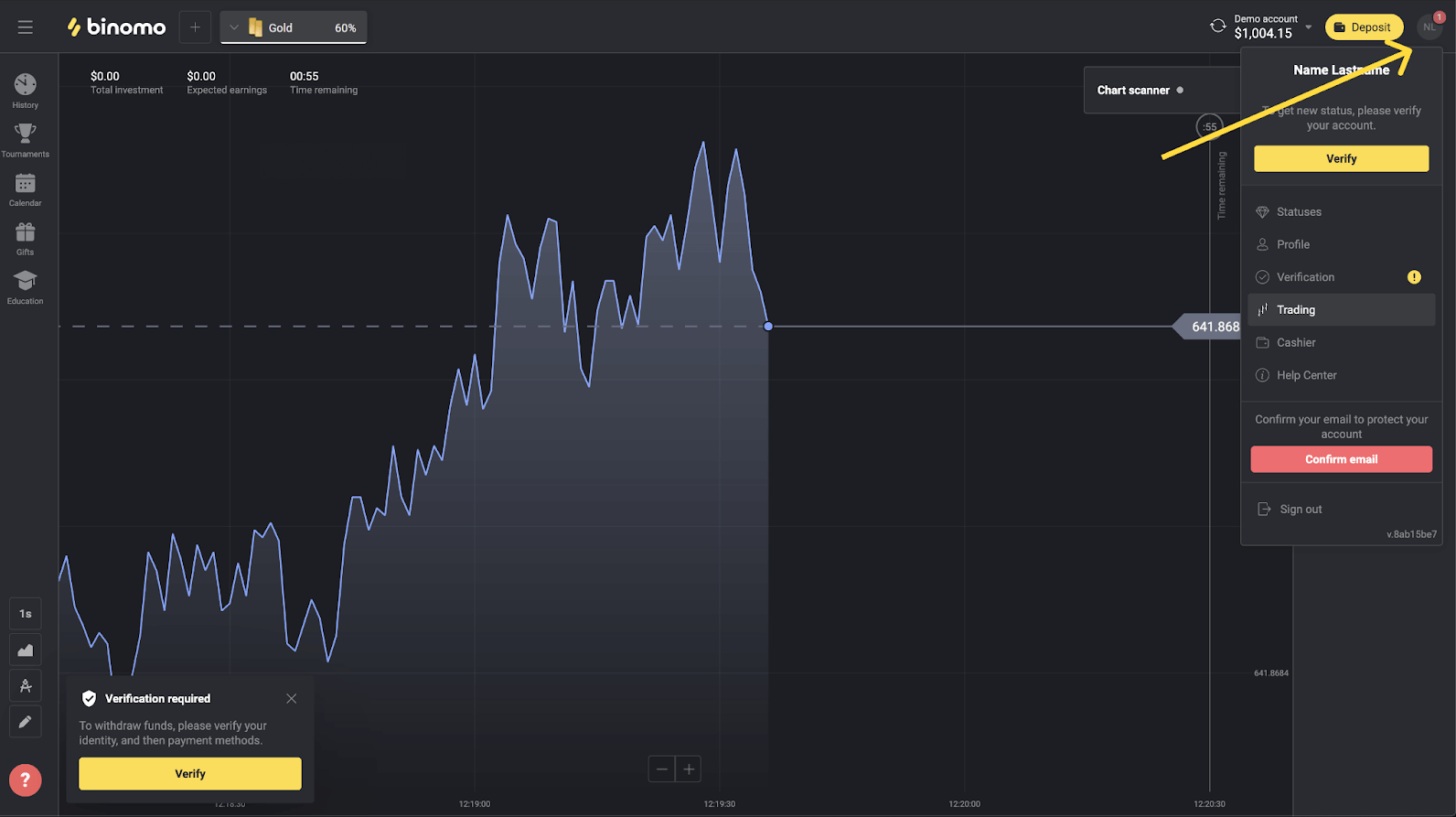
2) Click on the “Verify” button or select “Verification” from the menu.
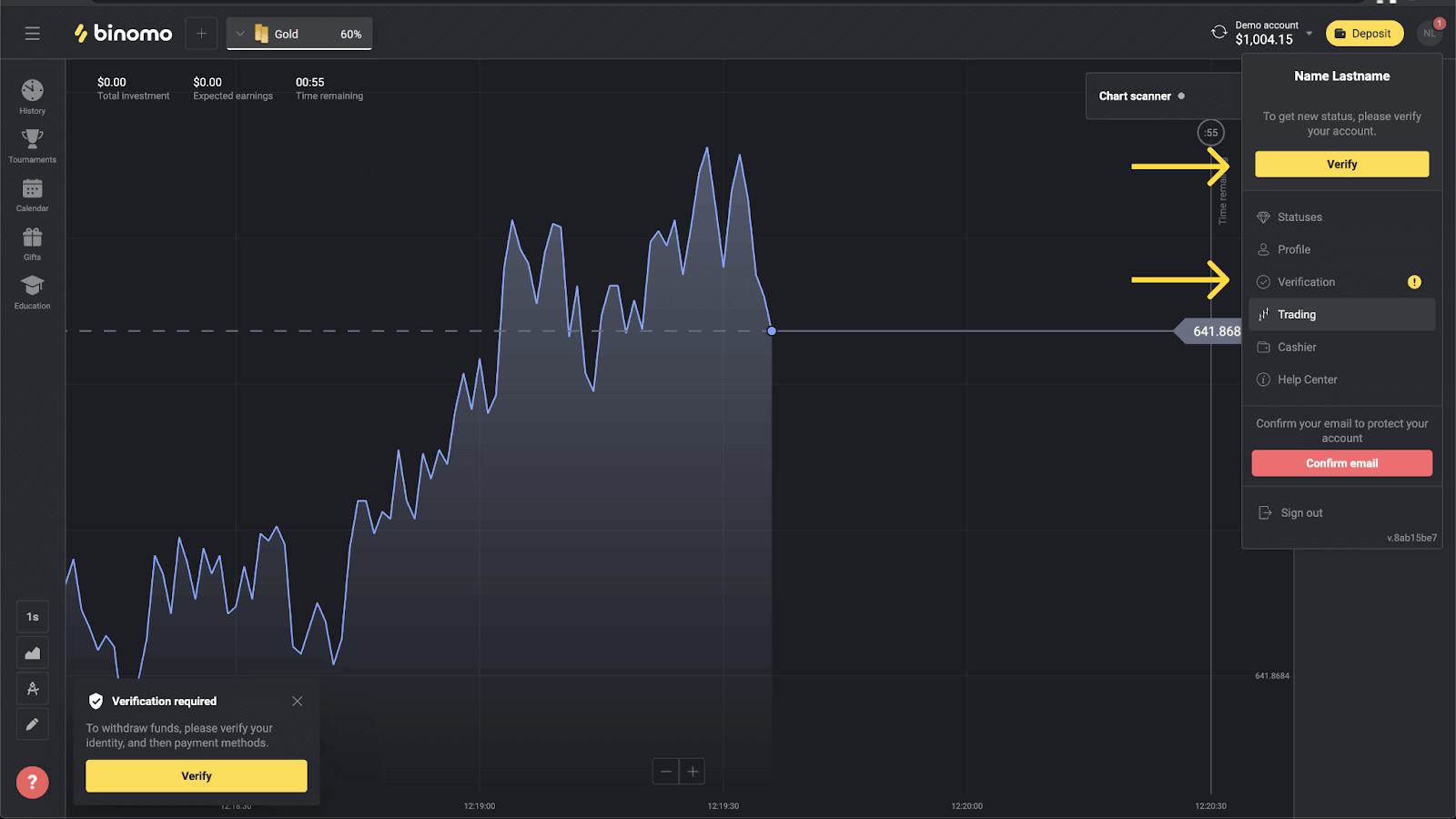
3. You will be redirected to the “Verification” page with a list of all your unverified payment methods. Choose your virtual/unnamed bank card and click "Verify".
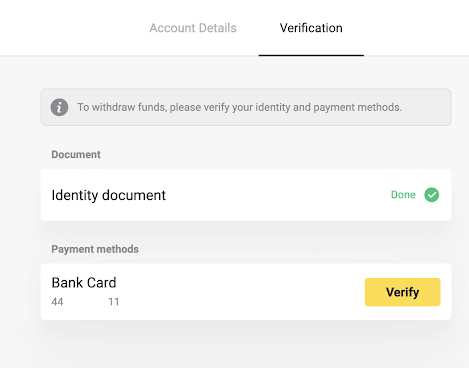
4) Upload a screenshot of your virtual bank card or a photo of your unnamed physical card. Make sure that the first six and last four digits of the card number, the expiration date and the name of the cardholder are visible and easy to read.
If a screenshot has no name on it, please, send a document that confirms the ownership of your card. This may be a screenshot of the full version of your online bank’s website showing the card numbers, owner’s first and last name.
In case your card and name are not visible on a single document, you can provide two documents:
1. Where you see the payment made with the card and the account number;
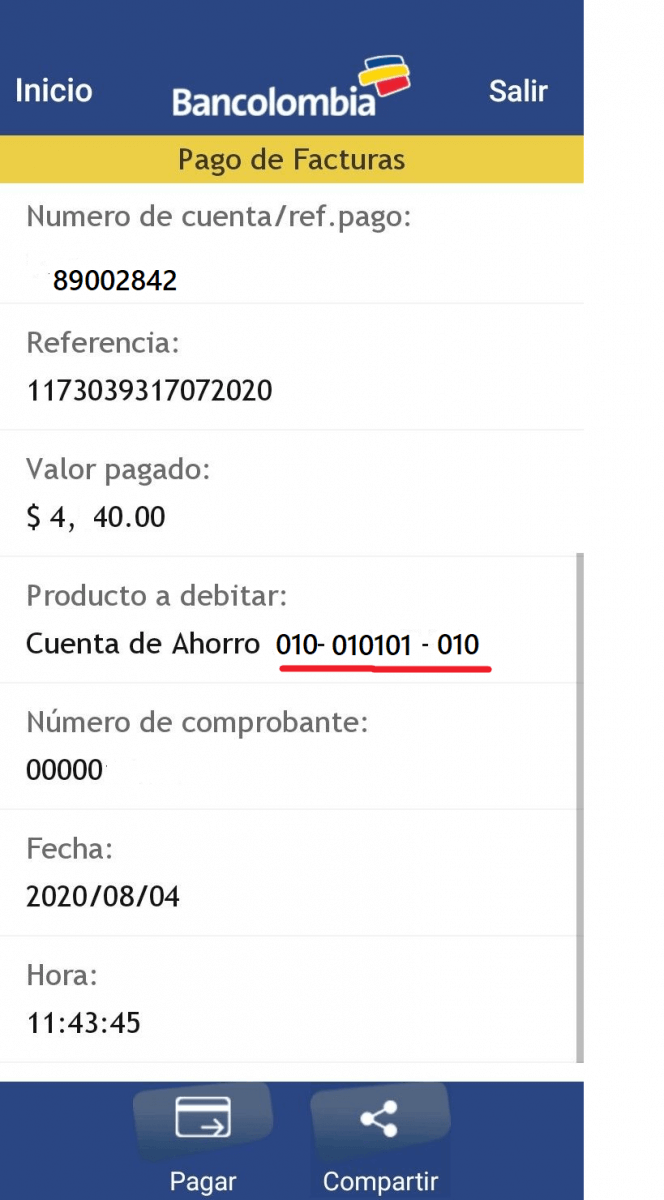
2. Where you see the name of the holder and the account number to which the card is assigned.
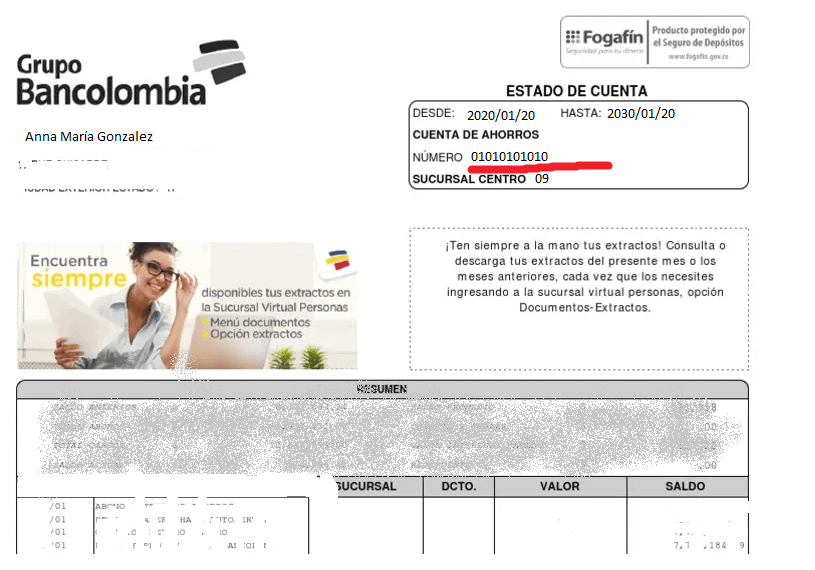
Note: We accept screenshots in the following formats: jpg, png, pdf. Important: the screenshot should not be edited in any way.
Then, click on “Next”;
5) Your screenshot/photo was successfully sent. Click "OK" to return to the "Verification" page;
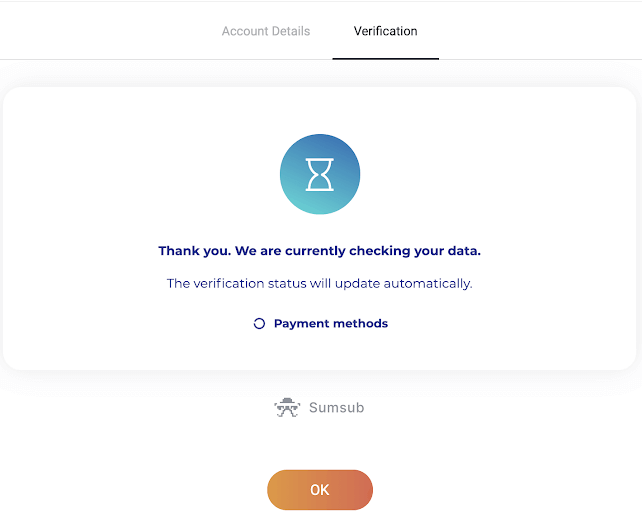
6) The status of your bank card verification will change to “Pending”. It may take up to 10 minutes to verify a bank card.
You have to verify all of the payment methods on the list to complete verification.
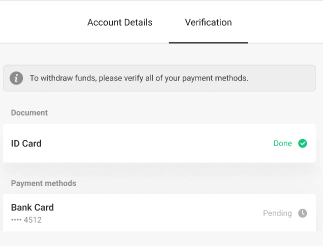
7) Send your request to [email protected] so that our specialists could check the documents provided;
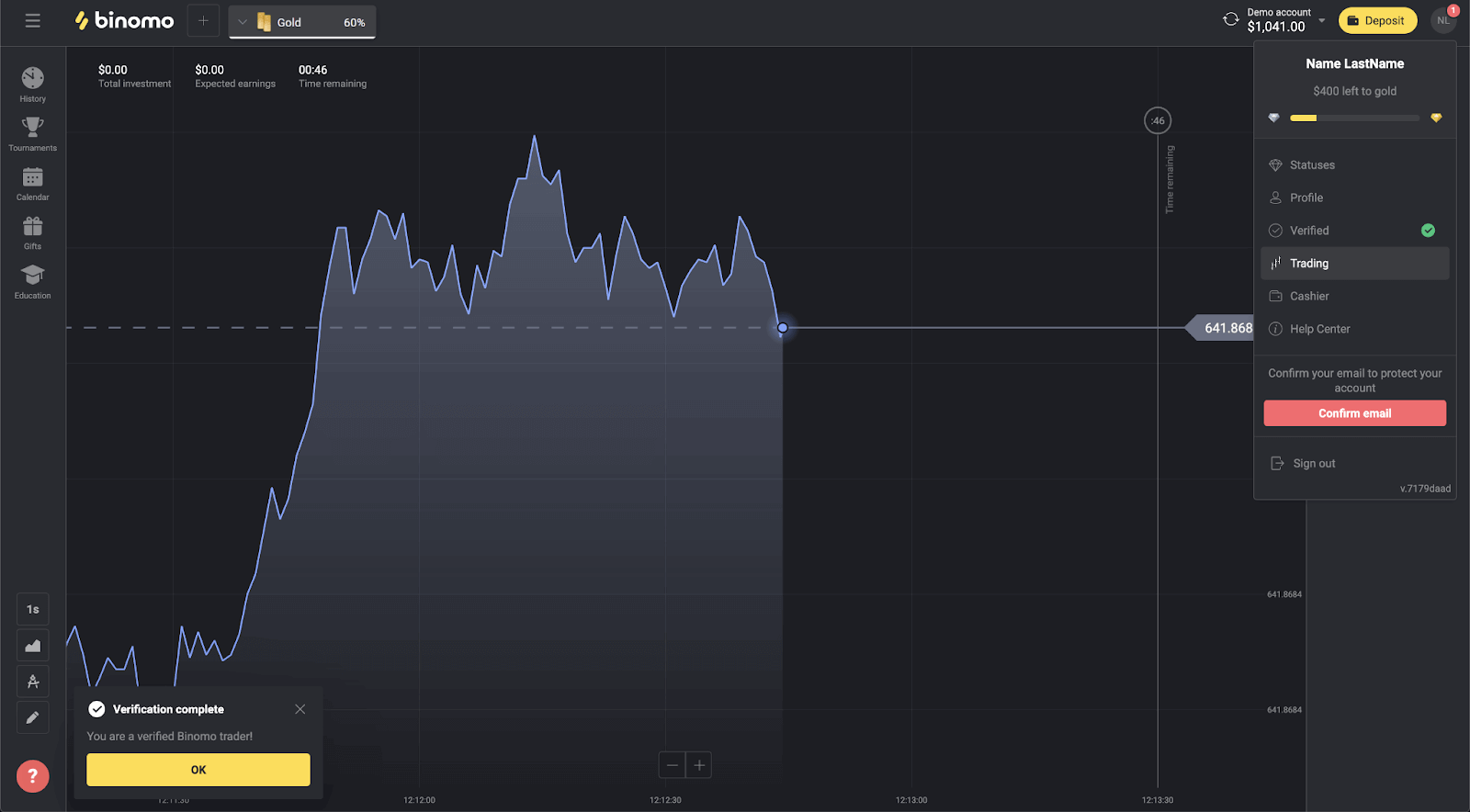
8) After the verification is complete, you will receive a notification and your status will change to “Verified”. You will also be able to withdraw funds again.
Note: During your work with our company other documents may be requested (based on the Client Agreement clause 4. Registration and Verification of the Client). It normally happens again after you make a deposit with a new card.
Frequently Asked Questions (FAQ)
Why do I need to verify my phone number?
Verifying your phone number is not a necessary step, but it helps us ensure the security of your account and funds. It will be much faster and easier to restore access to your account if you ever lose your password or get hacked.Note. You’ll be asked to verify your phone number once you’ve achieved a VIP status. We use the standard procedure with an SMS confirmation code.
When will I be able to withdraw funds?
You can withdraw right after verification has been completed. The verification process usually takes less than 10 minutes. The withdrawal request will be processed by Binomo within 3 business days. The exact date and time you’ll receive the funds depends on the payment service provider.Please note!
- You can’t withdraw funds from your Demo account;
- Before withdrawal you should check if you have funds available on your Real account;
- Withdrawals should be made within the minimum and maximum withdrawal limits;
How long does verification take?
Verifying your account normally takes us less than 10 minutes.There are few rare cases when the documents cannot be verified automatically, and we check them by hand. In this situation, the verification period may be extended for up to 7 business days.
You can make deposits and trade while waiting, but you won’t be able to withdraw funds until the verification has been completed.
Can I trade without verification?
You are free to deposit, trade, and withdraw funds until verification has been requested. Verification is usually initiated when you withdraw funds from your account. Once you’ve received a pop-up notification asking you to verify the account, withdrawal will be restricted, but you are free to trade. Pass verification to be able to withdraw again.The good news is, it usually takes us less than 10 minutes to verify a user.
Is it safe to send you my private data?
Short answer: yes, it is. Here is what we do to ensure the security of your data.2. The data centers are protected technically and guarded physically around the clock by specially audited security personnel.
3. All information is transferred via a protected channel with cryptographic encryption. When you upload any personal photos, payment details, etc., the service automatically hides or blurs a part of symbols (for example, the 6 middle digits on your payment card). Even if fraudsters try to capture your information, they would only get encoded symbols that are useless without a key.
4. Decryption keys are stored separately from the actual information, so people with criminal intent won’t get access to your private data.
We ensured that all personal details are not shared with other parties or used for someone’s purposes.
Conclusion: Start Trading Securely on Binomo
Registering and verifying your Binomo account is essential for a seamless trading experience. By following these steps, you can ensure your account is secure and fully operational. Once verified, you can deposit funds, trade confidently, and withdraw your earnings without issues. Get started today and explore the opportunities Binomo offers in online trading!